As we enter 2026, software products are becoming more advanced and complex. Extensive integrations and high functionalities in practically every product may be appealing to users, but things on the testing side are yet to advance. The QA labor is stuck with lookalike features across all testing tools, and behind the scenes is cluttered and rigid. We realized that the gap between “good enough” and “actually improves your QA process” is wider than ever. This guide cuts through the noise. We’ve rounded up the 14 best test management platforms that are genuinely worthwhile for QA teams looking for a permanent fix this year.
A Quick Overview of Best Test Management Tools for 2026
What Are Test Management Tools and Why Do They Matter?
Test management tools are software solutions that help teams create, plan, organize, and track test cases for QA testing. Behind every functional software product, there’s a large number of test cases that have to “pass” before the product goes live. These test cases can easily hit the million mark for some big and versatile products, and managing them isn’t easy.
A test management tool offers a centralized platform for QA teams to manage test cases, conduct execution, track bugs, and report progress. The most important function of a test management tool is that it cuts down days of work into hours and hours into minutes, all while offering traceability of each test case for quality assurance.
The general criteria for a good test management tool focus on the tool’s ability to help teams:
Organize and manage test cases, runs, and results through a centralized platform
Improve communication between QA, dev, and marketing teams
Reduce duplication and streamline tasks
Trace requirements, test cases, and defects easily
Check and download real-time, customizable reports for better decision-making
Scale with evolving teams and keep up with agile development
Ensure quality and consistency across every release
Key Features to Look for in Test Management Software
Before we explore each test management tool in detail, let’s see what a good set of features looks like in a test management tool.
Centralized Repository
Test management tools come with a centralized repository where all your progress is stored. A centralized repository is a unified hub where you can create, organize, and manage test cases, making it easier to find or reuse test cases instead of wasting time looking for them or recreating them from scratch.
Test Planning
With test management tools, you create test plans that outline your overall testing strategy. Test planning helps you build a roadmap that includes various aspects of the testing process, including selecting which test cases to execute, assigning responsibilities across your team, and scheduling test runs for specific cases.
Test Execution
You can execute tests reliably inside a test management tool. These tools enable testers to run tests, record results, and log any defects that they encounter during testing. Basically, test execution streamlines your testing process by helping you identify and address issues quickly, reducing the time it takes to build a high-quality release.
Progress Tracking
One of the prominent features of test management tools is that you can track your testing progress easily inside the tool. Testers can monitor the status of their test execution, track defects, and generate comprehensive real-time reports, all from an inclusive dashboard, which offers clear visibility into the testing progress.
Traceability
Traceability refers to the ability to track software requirements across different stages of the development lifecycle. Ideally, each requirement of your product should have a corresponding test case; test management tools can make it happen. Inside a tool, you can also track each test case and find out if it fulfills the requirement, which consequently allows you track the changes throughout the development process.
Visibility and Organization
Visibility and organization are core features of any test management system. It’s how you manage your test cases and get the work done. Countless good features go to waste if they are not properly visible to the users. However, each tool has its own way to offer visibility and abilities to organize test cases. How many folders can you make, where you can see them, how many search filters you can place, what tags can be used, if any, are all solid questions that determine how much visibility and organization a tool provides.
Collaboration
A prominent advantage of using a test management tool is collaboration; it provides a centralized platform for test documentation that team members can collaborate on easily. You could see which team member is working on which test case, and share any test artifacts with our colleagues. The overall purpose of collaboration is to work together and achieve better results.
Integrations
In addition to a test management system, software testing relies on various other tools. A good test management tool allows you to integrate other tools with your platform. These could be bug-tracking systems, version control systems, and CI/CD pipelines. Your workflow stays streamlined through your test management tool, and you can access necessary tools from a single interface.
Reporting
We talked about progress tracking, about how you can access all the relevant KPIs in your test management tool’s dashboard. Reporting takes this a step further and allows you to download customized reports for your stakeholders. In a tool like TestFiesta, you can download reports in various formats and showcase various metrics that help you make key decisions.
Compliance
Test management tools document test processes, results, and approvals for each test case, which is how testers can establish compliance with regulatory standards and keep audit logs. Since everything is tracked, documented, and accounted for, teams have ownership over processes.
Test Case Versioning
As you make changes in the test cases over time, you create a history of edits, which includes who made the changes, what the changes were, and when the changes were made. These are called “versions,” and test case versioning is a key feature of test management tools. This feature not only allows testers to revert to previous versions if necessary, but it also ensures transparency and accountability in the process, which is vital in auditing.
Data Management
Data management in test management refers to ensuring that test data remains updated, secure, and relevant. Test management tools vary in their versatility related to data management, but most tools offer some features that allow testers to create and maintain data sets, masking sensitive data, and securing data integrity throughout the testing process.
14 Best Test Management Tools for Software Testing in 2026: A Detailed Comparison
After careful review and a lot of testing, this section breaks down 14 tools that consistently perform well in real-world QA environments. You’ll find what each platform does best, where it may fall short, and the kind of teams that they are most suited for. Skip the endless demos and sales pitches; read this guide till the end, and make an informed decision.
1. TestFiesta
TestFiesta is a comprehensive, flexible, AI-powered test management platform designed to simplify and streamline how QA teams organize, execute, and report on software testing. Built by QA professionals for QA professionals, it delivers the flexibility, speed, and modern workflows that agile teams demand, without the complexity, rigid structures, or inflated pricing of legacy tools.
Unlike legacy tools built by large enterprises and holding companies that force teams into rigid structures, TestFiesta is built by a team of QA testers with 20 years of experience in test management. Unlike popular test management tools that have lookalike features, TestFiesta prioritizes flexibility in workflows through intuitive interfaces and modular elements, letting testers perform more actions in fewer clicks.
It’s ideal for teams that want a flexible QA process with a scalable platform that supports dynamic processes as operations grow. The best thing about TestFiesta is that your cost per person and your access to all features remain the same regardless of how big your organization gets, which is something that most tools miss out on.
Flexible Test Management: TestFiesta boasts “true” flexibility with its intuitive interface and easy navigation. You exactly know where everything is, and you get there with fewer clicks. This modular system gives you far more control and visibility than the rigid setups used in most other tools.
AI Test Case Creation: TestFiesta’s built-in AI Copilot gives users AI-powered assistance throughout the entire testing process. From test case creation to ongoing refinement and management, the AI Copilot acts as a qualified assistant at every step.
Customizable Tags: Every entity in TestFiesta, including users, test cases, runs, plans, milestones, and more, can be tagged. You can create tags for anything you care about and apply them anywhere. And they are not just labels; they reflect how you search, customize, organize, and report inside the platform.
Configuration Matrix: A Configuration Matrix in TestFiesta is built to support an unlimited number of testing environment details. It allows you to quickly duplicate test runs across hundreds of unique environment combinations (e.g., Safari on iPhone 16 running iOS 26). You can fully customize which configurations are relevant for your testing needs, and apply them to any run. This dramatically reduces test setup time and ensures every scenario is covered, with no manual duplication or missed combinations.
Reusable Configurations: TestFiesta’s Reusable Configurations let you define environment settings once and apply them everywhere — across test cases, runs, and projects. Clone, edit, or version configurations as your environment evolves, and instantly scale test coverage to new platforms, devices, or customer requirements.
Shared Steps to Eliminate Duplication: In TestFiesta, common steps can be created once and reused across multiple test cases. Any updates made to a shared step reflect everywhere it’s used, saving hours of editing. Steps can be nested, versioned, and assigned owners, and usage analytics will show which steps are most reused, helping teams optimize and maintain their libraries.
Custom Fields: Custom Fields in TestFiesta let you capture any data you need at the test case, run, or result level. Fields can be required, optional, or conditional (e.g., only show if a certain status is selected). Use custom fields for integrations (mapping to Jira fields), reporting, workflow automation, or regulatory compliance. Every field is fully searchable and reportable, so you can analyze and filter by any dimension that matters to your team.
Automation Integrations: Along with integration to testers’ favorite issue trackers, TestFiesta also allows you to build custom automations and connect with your CI/CD pipeline through a comprehensive API.
Folders: Folders give you the flexibility to store your test cases the way you want to see them. With an easy drag-and-drop function, you can nest each case however you want, wherever you want.
Detailed Customization and Attachments: Testers can attach files, add sample data, or include customization in each test case to keep all relevant details in one place, making every test clear, complete, and ready to execute.
Instant Migration: Teams often do not switch from rigid, legacy tools because they value their data more than the opportunity to switch to a better tool. TestFiesta solves this problem by allowing users to import their data from any test management platform and continue testing. For TestRail users, TestFiesta has an API that allows migration within 3 minutes. All the important pieces come with you: test cases and steps, project structure, milestones, plans and suites, execution history, custom fields, configurations, tags, categories, attachments, and even your custom defect integrations.
Fiestanaut: TestFiesta offers an AI-powered chatbot, Fiestanaut, just a click away, so teams are never left guessing. Fiestanaut provides quick answers and guidance, particularly helping teams navigate the tool. Support teams are also always just a touchpoint away for when you need a real person to step in.
Pricing
TestFiesta’s pricing is very transparent and probably the most straightforward pricing among all currently available platforms.
Free User Accounts: Anyone can sign up for a free account and access every feature individually. It’s the easiest way to experience the platform solo. The only exception in free accounts is the ability to collaborate.
Organization: In $10 per active-user per month, teams unlock the ability to work together on projects and collaborate seamlessly. No locked features, no tiered plans, no “pro” upgrades, and no extra charges for essentials like customer support. Regardless of how big your organization is, your price per user remains the same.
Ideal for
TestFiesta is ideal for the following teams:
New, intermediate, and experienced QA testers
Looking for a modern, lightweight test management tool
Want a more straightforward but feature-rich test management approach
Tired of legacy tools, poor UIs, and lazy customer support in other tools (easy migration makes switching super easy)
Want to reduce testing costs or have smaller budgets
Looking for custom automation integrations
2. TestRail
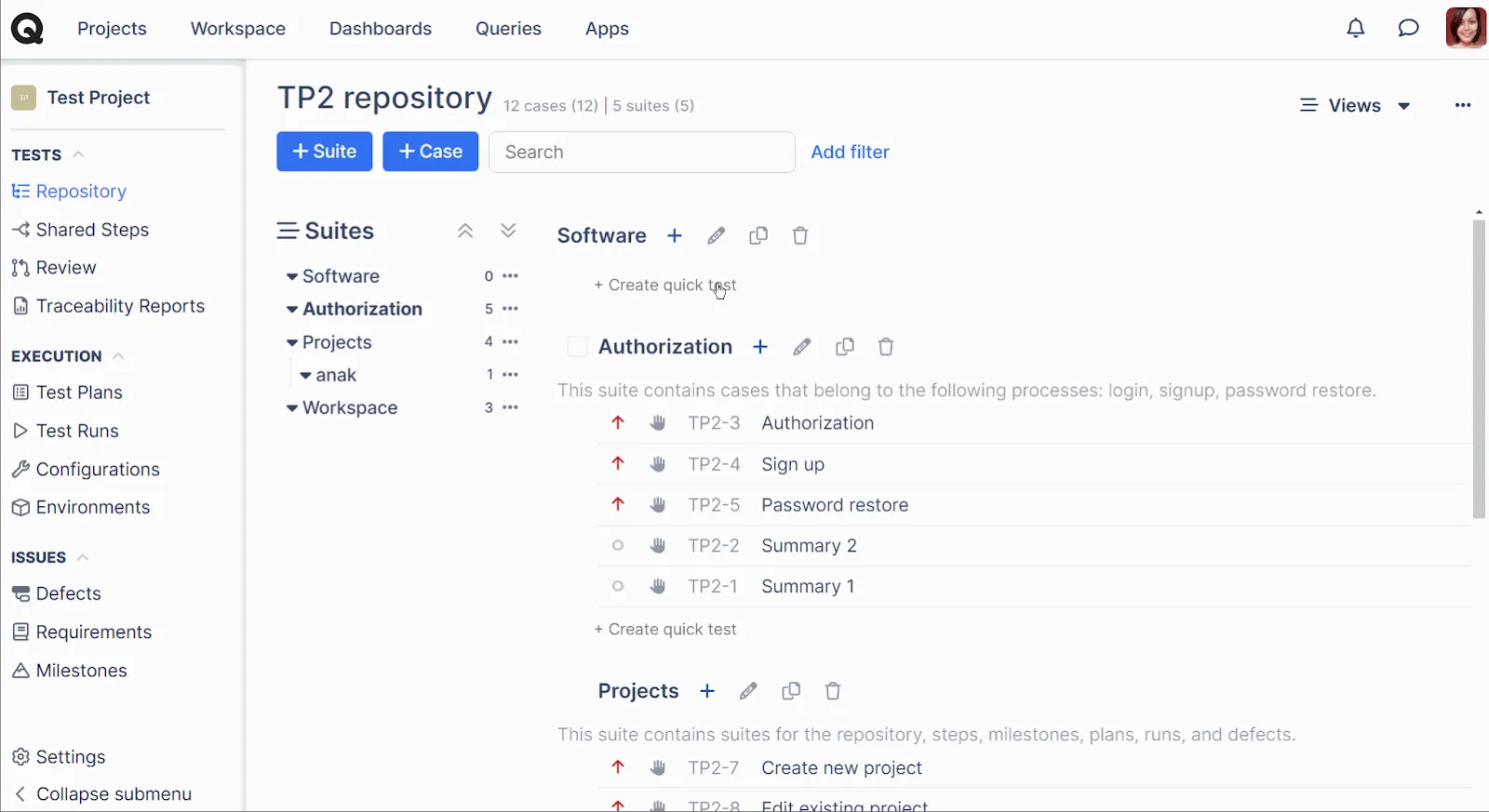
TestRail is one of the most widely used test management tools, known for its structured approach to test case organization and execution. It allows teams to manage test plans, runs, and milestones with a high level of customization. Strong reporting and analytics features help QA leads track coverage, progress, and trends over time. TestRail integrates with a wide range of issue trackers, automation frameworks, and CI tools. While powerful, its interface and configuration options can feel heavy for most teams. It’s best suited for teams that value detailed documentation, structured interfaces, and formal testing processes.
Key Features
TestRail is most popularly known for the following features:
Comprehensive test management: Manage test cases, suites, and test runs within an optimized structure.
Real-time insights into your testing progress: with advanced reports and dashboards, TestRail makes traceability readily available.
Scalability: Helps you manage important data and structures, such as project milestones, and makes it easy to integrate with bug tracking tools.
Pros
Some key advantages of TestRail include:
Mature and widely trusted
Strong reporting and analytics
Strong integration ecosystem
Helpful for structured QA
Supports large test libraries
Cons
TestRail has its fair share of drawbacks, including:
Clunky, dated UI that makes test management harder than it needs to be
Steep initial learning curve
Setup and configuration can take time
Pricing is too high for small teams
Exploratory testing support is weaker
New updates and releases introduce bugs
No free plan
Pricing
TestRail does not have a free plan. Their pricing is divided into two tiers:
Professional: $40 per seat per month
Enterprise: $76 per seat per month (billed annually)
Ideal for
TestRail is ideal for:
Medium to large QA teams
Organizations needing structured documentation
Teams with complex test plans
Enterprise workflows and formal QA processes
3. Xray
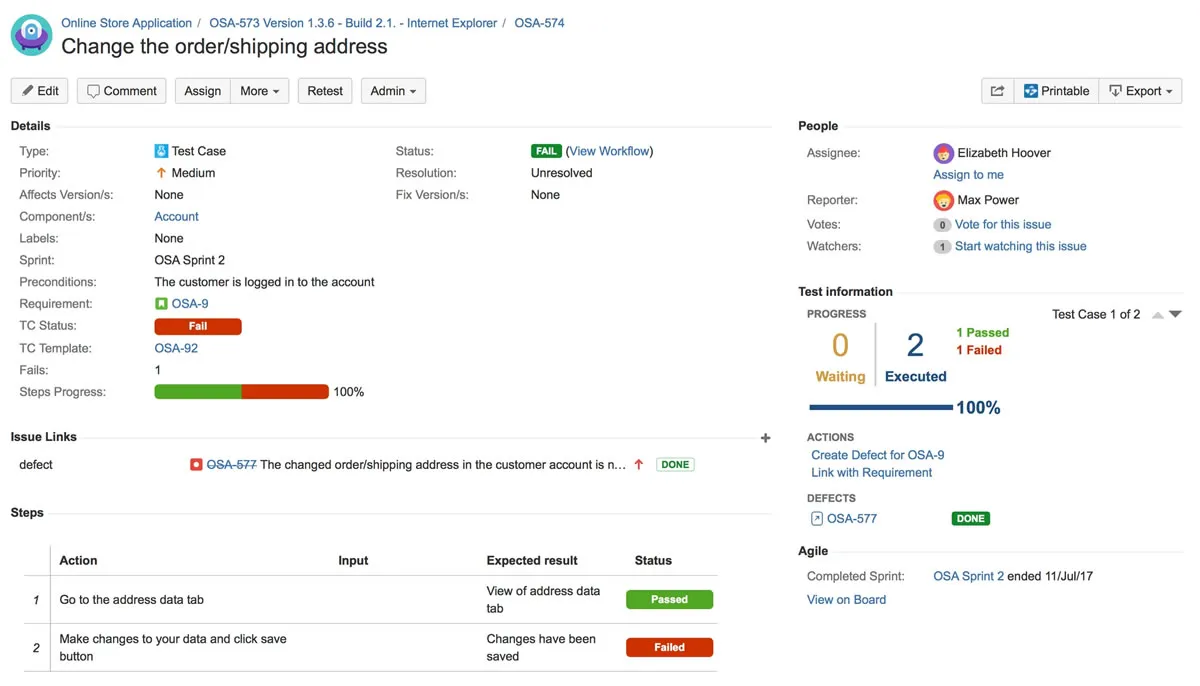
Xray is a test management tool built directly into Jira, treating tests as native Jira issues. This approach provides strong traceability between requirements, test cases, executions, and defects. Xray supports manual testing, automation, and BDD frameworks. Because it resides within Jira, teams can manage testing without switching tools; however, the setup and learning curve can be steeper than those of most standalone platforms. Overall, Xray is ideal for teams deeply invested in the Atlassian ecosystem.
Key Features
Key features of Xray include:
Native test management: Built for Jira-driven teams and treats test cases as native Jira issues.
AI guidance: Supports all-in-one test management, guided by AI.
Reports and requirement coverage: Offers interactive charts for teams to view test coverage of requirements.
Integrations: Integrates with automation frameworks, CI & DevOps tools, REST API, and BDD scenarios inside Jira.
Pros
Xray’s key advantages include:
Deep Jira ecosystem integration
No context-switching for Jira users
Extensive integration with automation tools
Offers in-depth reporting and visibility
Cons
Some drawbacks of Xray are:
Requires Jira (no standalone); Jira UI also provides constraints
Teams require advanced editions for more storage
Workflow complexity may grow over time
Pricing keeps increasing as you add more users
Pricing
Xray offers a free trial with two tiers:
Standard (essential features): $10 per month for the first 10 users; the price per user starts increasing after the 10th user.
Advanced (all features): $12 per month for the first 10 users; the price per user starts increasing after the 10th user
Ideal for
Xray is ideal for:
Teams fully using Jira
Agile squads with Jira backlogs
Teams requiring extensive integration with automation tools
Organizations standardizing on Atlassian tools
DevOps teams tied to Jira workflows
Small to large Jira-centric teams
4. TestLodge
TestLodge is a frictionless test management tool built for QA teams that prioritize simplicity and speed over heavy, bloated features. It centralizes test plans, requirements, test cases, and runs into a clean, lightweight workspace designed to get teams up and running instantly. A major differentiator is its pricing model; by offering flat monthly rates with unlimited user accounts, it provides a cost-effective solution for growing teams. While it keeps core testing simple, TestLodge integrates seamlessly with popular issue trackers like Jira, Trello, and Linear, allowing teams to log defects and sync ticket statuses directly from active test runs without switching tools.
Key Features
TestLodge’s core features include:
Test case management: Create and organize test cases with an easy-to-manage system.
Test execution: Run tests with guided workflows.
Requirement linking: Associate requirements to test cases and view traceability reports.
Issue tracker integrations: Automate defect raising and synchronize ticket statuses when a test fails.
Pros
Some good highlights include:
Lightweight, easy-to-use interface
SOC 2 and GDPR compliant
No per-user pricing (cost-effective for growing teams)
Strong integrations with popular issue trackers
Quick setup and low learning curve
Suitable for teams and companies of all sizes
Cons
Why users might skip TestLodge:
If users prefer more customization
No permanent free level (trial-based access only)
Pricing
TestLodge offers a 30-day free trial across four flat-rate pricing tiers:
Personal: $34 per month (up to 50 test plans, 200 test cases, and 100 test runs)
Basic: $69 per month (up to 150 test plans, 600 test cases, and 300 test runs)
Plus: $139 per month (up to 500 test plans, 3,000 test cases, and 1,000 test runs)
Premium: $279 per month (up to 1,500 test plans, 10,000 test cases, and 3,000 test runs)
Ideal for
TestLodge is more suited for:
QA teams looking for a streamlined, uncomplicated test tracking workspace
Budget-conscious companies wanting to add users without extra per-seat fees
Teams already using bug tracking/project management tools like Jira, Trello, or Linear
Projects requiring rapid deployment with minimal training required
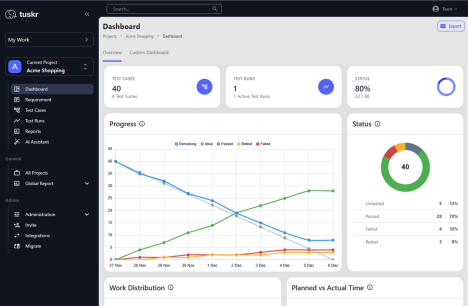
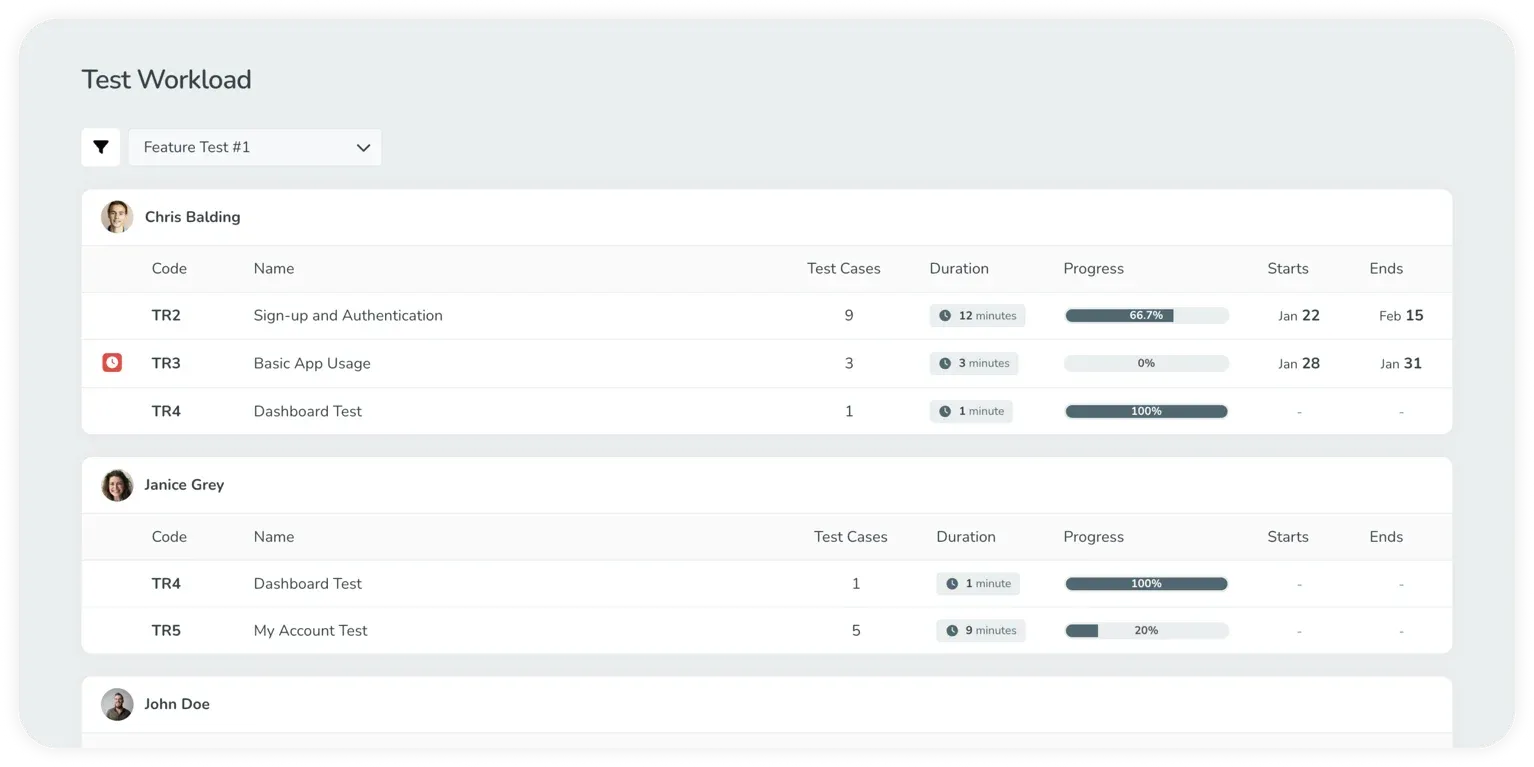
Tuskr is a cloud-based test management platform that bridges the gap between manual testing and automated test results with a modern, intuitive interface. It stands out by offering strong features like generative AI for test case creation and automatic workload balancing without the bloated complexity of legacy enterprise tools. Tuskr provides unified dashboards that allow QA teams to monitor real-time analytics and track testing progress. While its functionality goes beyond basic test management, it offers multiple plans, including a free tier, for teams of all sizes and needs.
Key Features
Tuskr is most popularly known for the following features:
Unified test management: Centralizes manual test cases, automated results, and real-time visual dashboards in a single view.
AI-driven efficiency: Generates comprehensive test cases from requirements using generative AI and automatically balances tester workloads.
Visual dashboards: Rich, real-time analytics with full dark mode support for better visibility and tracking.
Seamless Integration: Connects easily with Jira, GitHub, Slack, and major CI/CD pipelines.
Pros
Some key advantages of Tuskr include:
Good for unifying manual and automated testing
Optimizes resource allocation among testers with AI-driven workload balancing.
Generative AI capabilities save planning time
WYSIWYG rich text editor with an intuitive and modern UI
Free plan for up to 5 users
Transparent pricing structure
Cons
Tuskr has its fair share of drawbacks, including:
Fewer native integrations than extensive enterprise suites
Advanced reporting can be limited for highly complex datasets
API access and advanced webhooks are restricted to paid tiers
Limited custom fields in all tiers
Pricing
Tuskr’s pricing model looks like:
Free Plan: Free for up to 5 users, 5 projects, and 1,000 test cases.
Team Plan: From ~$9 per user, per month for 50K test cases.
Business: From ~$15 per user, per month for 100K test cases.
Enterprise: From ~$29 per user, per month for 250K test cases.
Ideal for
Tuskr is ideal for:
Organizations looking for a cost-effective alternative to legacy tools.
Teams wanting to unify manual and automated test results.
QA processes that benefit from AI-assisted test case creation
6. Qase
Qase is a lightweight, cloud-based test management tool designed with simplicity and speed in mind. It offers an easy way to create, organize, and execute test cases without overwhelming users with complex workflows. Qase supports automation integration and API access, making it friendly for modern development pipelines. Collaboration features help teams link tests with issues and development work. The tool is particularly appealing to startups and small QA teams moving away from legacy tools. It strikes a good balance of affordability and usability, which makes it a popular entry-level test management solution.
Key Features
Key features of Qase include:
Modern UI: Qase flexes modern UI to facilitate intuitive test case management practices.
AIDEN: Comes with an AI Software testing agent for AI test conversion, generation, analysis, and execution.
Extensive integrations: Offers 35+ integrations for both manual and automated testing.
Customizable dashboards: Supports advanced data analytics with customizable, drag-and-drop widget-powered dashboards.
Pros
What makes Qase better is its:
Clean, user-friendly UI
Quick team onboarding
Affordable pricing; free tier available
Strong automation support
Versatile and customizable reporting and data analytics.
Cons
It has a few drawbacks, including:
Smaller ecosystem than enterprise suites
Analytics is not as deep as high-end or modern tools
Some CI/CD integrations need setup
Pricing
Qase has four pricing tiers:
Free($0/user/month): Supports up to 3 users with basic functions, ideal for students and hobbyists.
Startup ($24/user/month): Supports up to 20 users with limited automation and AI support and no customer support. Only provides 90 days of testing history.
Business ($30/user/month): Supports up to 100 users and offers role-based access control with 1 year of testing history.
Enterprise: For team more than 100 users, custom pricing is available with enterprise-level security, support, and customization.
Ideal for (teams, projects, etc.)
Qase is ideal for:
Small to large QA teams requiring basic testing functionality
Teams new to test management
Projects adopting automation early
Agile teams that want simplicity
7. TestDino
TestDino is a centralized test reporting and analytics platform designed for teams managing large volumes of automated and manual tests. It focuses on AI-powered failure analysis, flaky test detection, and deep visibility across branches, environments, CI workflows, and with Playwright MCP Support. TestDino is commonly adopted when teams struggle with noisy test failures, reruns, and poor root-cause visibility. Its reporting emphasizes actionable insights rather than raw pass/fail summaries. However, the platform has a bit of a learning curve, and it’s mainly optimized for Playwright-based automation, most useful for teams that already run tests in CI.
Key Features
Manual and automated test case management: Manage test documentation and automation together.
Flaky test detection: Identifies unstable tests over time instead of marking everything as "failed.”
CI-first optimization: Rerun only failed tests and reduce pipeline time and cost.
Evidence-rich failure views: Screenshots, videos, traces, logs, and steps all in one screen.
Pros
Flaky test detection and history make CI more stable and predictable.
CI-first workflows enable PR comments, reruns, and automation easily.
Role-based dashboards give each team member the right level of detail.
AI insights help teams debug faster by explaining real failure causes.
Reports show traces, screenshots, videos, logs, and steps together.
Cons
Optimized primarily for Playwright-based automation.
Useful for teams that already run tests in CI.
AI requires collecting test runs to get smarter over time.
Some teams may need a short walkthrough before they feel comfortable.
Price
TestDino has the following pricing plans:
Community: Free for single users using single projects with 5000 test executions/month.
Pro Plan: $49/month for up to 3 users and 3 projects with 25,000 test executions/month
Team Plan: $99 /month for up to 30 users and 5 projects with 75,000 test executions/month.
Enterprise: Custom pricing.
Ideal for
Teams that already run tests in CI.
Playwright-based automation processes.
8. BrowserStack Test Management
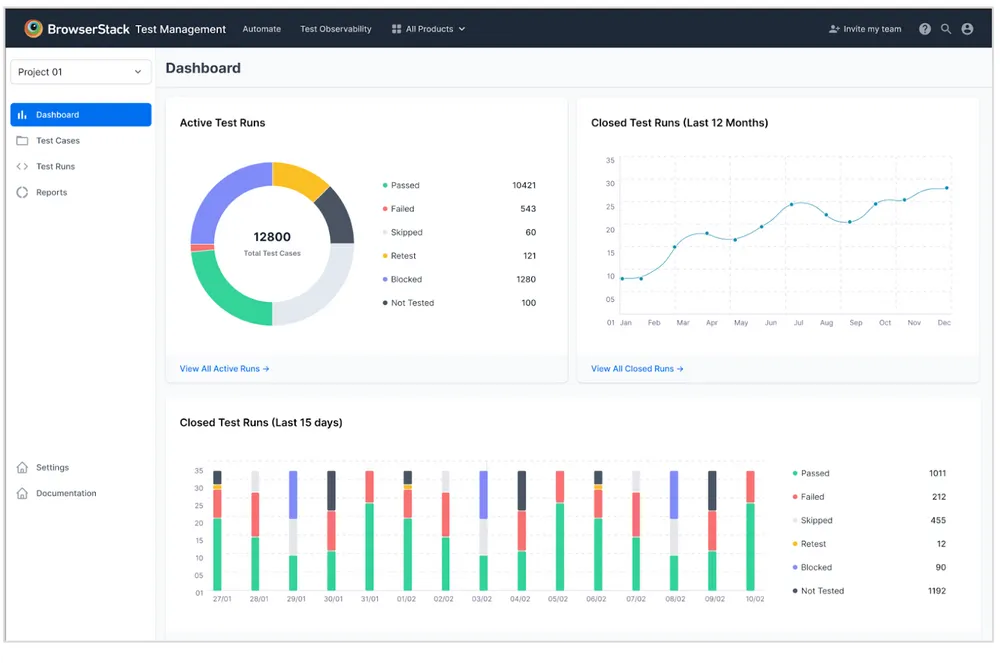
BrowserStack’s test management solution is designed to work closely with its broader testing ecosystem. It helps teams manage test cases, executions, and results alongside manual and automated testing. AI-assisted features support faster test creation and organization, and integrations with CI/CD tools and issue trackers make it easy to connect testing with development workflows. Teams already using BrowserStack for cross-browser or device testing benefit from having everything in one platform. It’s best suited for teams looking for an all-in-one cloud testing environment.
Key Features
BrowserStack’s highlights are:
AI agents: BrowserStack highlights AI test case creation and execution that enhance test coverage.
Advanced reporting and debugging: Offers AI-driven flaky test detection, unique error analysis, failure categorization, RCA, timeline debugging, and Custom Quality Gates.
Customizable dashboards: Supports customizable dashboards and smart reporting to gain insights into testing efforts across all projects.
Simple UI: Straightforward interface that supports bulk edit operations.
Pros
BrowserStack’s key value-propositions are:
Works seamlessly with the BrowserStack ecosystem
Free tier with generous limits
Strong AI automation support
Real-time results visibility
Good collaborative features for teams
Fast setup and onboarding with a clean, simple UI
Cons
BrowserStack is also heavily criticized for:
Paid plans still have some features “upcoming.” Users have no clear idea of the value for money.
Almost all advanced features, like AI, are limited to top-tier plans
Reporting options less customizable in basic versions
An extensive list of add-ons and user-based pricing tiers at each level can feel complex
Pricing
BrowserStack Test Management has 5 pricing tiers:
Team: $149/month/5 users with basic test management functions and features.
Team Pro: $249/month/5 users with slightly advanced features (some are still in progress)
Team Ultimate: AI agents are only available in this plan, which requires contacting sales to inquire about pricing.
Enterprise: Enterprise consists of add-ons that users need to pick and choose from, and contact sales to inquire about pricing.
Free: Solo-user version that offers limited access to test case management functions.
Ideal for
It’s best suited for:
Teams already using BrowserStack for testing
Organizations with growing teams and a larger budget
Automation-heavy QA workflows
Teams with extensive knowledge of QA add-ons and complex features
9. TestFLO
TestFLO is a Jira add-on that allows teams to manage test cases and executions inside Jira. It focuses on aligning testing activities closely with agile boards and workflows, and lets the team execute manual and automated tests without leaving the Jira interface. Reporting is also available directly within Jira dashboards, reducing context switching for teams already using Jira daily. It works well for agile teams that want simple, Jira-native test management.
Key Features
Key features of TestFLO include:
Native test planning and organization: A test repository that helps you manage tests within a clear structure in Jira.
Large-scale software testing: Teams with repetitive test execution can enable test automation in Jira via REST API and connect to the CI/CD pipeline to test in the DevOps cycle.
Comprehensive test coverage: Enables traceability links between requirements, test cases, and other Jira artifacts.
Pros
Its primary advantages are:
No need for a separate tool outside Jira
Easy Jira onboarding, less context switching
Traceability within Jira stories/tasks
Jira permissions extend to tests
Quick execution tracking
Extensive automation support
Low learning curve for Jira native users
Cons
This tool has some drawbacks, including:
Requires Jira setup; not a standalone product outside Jira
Not for small teams
Only sold as an annual subscription
Pricing
TestFLO is a “Data Center” Atlassian app and is only sold as an annual subscription with a 30-day free trial for each plan. The plans include:
Up to 50 users: $ 1,186 per year
Up to 100 users: $ 2,767 per year
Up to 250 users: $ 5,534 per year
Up to 500 users: $ 9,488 per year
Up to 750 users: $ 12,650 per year
Ideal for
TestFLO is ideal for:
Large-scale teams or enterprises
Organizations within the Atlassian ecosystem
Developers and QA in one Jira board
Teams with frequent and rapid feature releases
Cross-functional squads
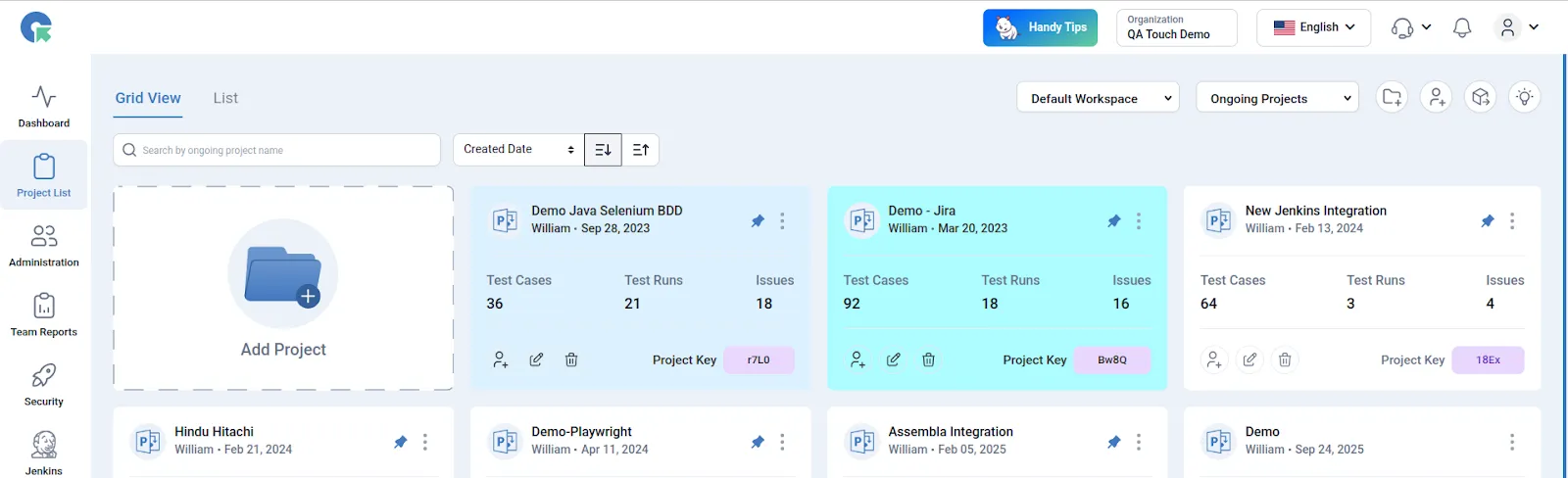
10. QA Touch
QA Touch is a test management platform designed to improve productivity through automation-friendly and AI-assisted features. It helps teams create, manage, and execute test cases with minimal manual effort. Built-in dashboards provide real-time visibility into testing progress. QA Touch integrates with popular development and issue-tracking tools. Its interface is modern and easy to navigate for new users. The tool suits teams looking for efficiency and quick adoption.
Key Features
QATouch is known for its:
Effective test management: Offers efficient management of projects, releases, test cases, and issues in a centralized repository, along with various test suites, test plans, reports, custom fields, requirement mapping, an agile board, audio recording of issues, screen recording, version history, and more.
Built-in tools: Enable teams to log, track, and manage bugs seamlessly with a built-in bug tracking module, and share working hours with built-in timesheets.
Pros
Some key advantages:
Easy and quick onboarding
Built-in bug tracking (no separate system needed
Agile-friendly workflows
Useful dashboards for visibility, along with an agile board
Custom fields
Cons
Possible drawbacks:
Users find the UI design to be poor
Limited flexibility and customization options
Steep learning curve
The free version is extremely limited
No onboarding assistance in the starter plan
Pricing
QA Touch has three tiers:
Free: $0, limited to 3 projects, 100 test cases, and 10 test runs
Startup: $5 per user per month, limited to 100 projects, 10,000 test cases, export, and Jira Cloud
Professional: $7 per user per month, offering everything in Startup + automation, access to 10+ advanced integrations, and onboarding assistance.
Ideal for
It’s ideal for:
Small to mid QA teams
Startups testing early products
Teams seeking built-in defect tracking
Developers running lightweight QA cycles
Teams requiring integration with automation tools
11. TestMonitor
TestMonitor is a cloud-based test management tool focused on simplicity and transparency. It allows teams to manage test cases, runs, and milestones without complex configuration. Clear dashboards in TestMonitor help teams track progress and quality at a glance, and collaboration features make it easier to involve non-QA stakeholders. While it lacks some advanced enterprise features, it covers core testing needs well, making it a good fit for small, beginner teams.
Key Features
TestMonitor differentiates itself with the following features.
Comprehensive test management: Supports fast test case creation and efficient test case management, along with requirement management.
Expensive integrations: Seamlessly integrates with issue trackers and 30+ software testing frameworks for automated testing.
Reporting: Allows teams to track, view, and share test results from every angle with built-in reports.
Pros
Key benefits include:
Easy to use with a good interface
Extensive integrations
Easy test planning and organization
Built-in defect support
Good customer support and knowledge sharing
Cons
Some commonly observed drawbacks:
Lack of workflow management between users
Lack of customization in test cases
Tool-based terms require some learning
Limited roles within the tool
Pricing
TestMonitor has a 14-day free trial and three pricing tiers:
Starter: $13/user/month for up to 3 users with basic functions.
Professional: $20/user/month for 5, 10, 25, 50, or 100 users with advanced features.
Custom: Minimum for 10 users with enhanced customer support and onboarding features (with custom pricing).
Ideal for
It’s a better fit for:
Small to mid-sized QA teams
Teams needing straightforward test tracking
Teams tracking requirements as well as tests
Small teams moving past spreadsheets
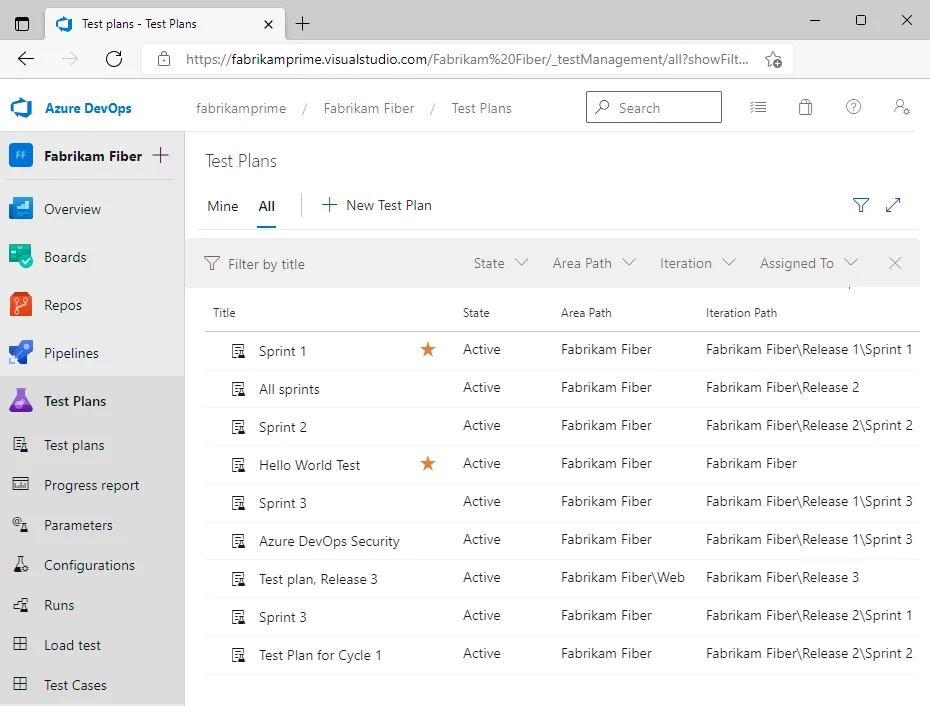
12. Azure Test Plans
Azure Test Plans is Microsoft’s test management solution within Azure DevOps. It supports manual and exploratory testing with full traceability to work items. Teams can capture detailed test results, including screenshots and logs, to provide a comprehensive view of the test process. It has tight integration with Azure Boards and Pipelines, enabling direct connection between testing, development, and deployment. The tool works best for teams already using the Microsoft DevOps ecosystem, and it’s commonly used in enterprise and enterprise-leaning environments.
Key Features
Azure’s core features include:
Comprehensive test management: Offers manual and exploratory testing tools for efficient testing.
End-to-end traceability: Provides end-to-end traceability with Azure Boards
Captures rich data: Allows users to capture rich scenario data as they run tests to make discovered defects actionable.
Pros
Some good highlights include:
Deep integration with the Azure DevOps suite
End-to-end traceability
Strong reporting tied to work items
Seamless link to repos, pipelines, boards
Powerful exploratory testing features
Good for enterprise teams
Rich execution logs and test artifacts
Cons
Why users skip Azure:
Best value only inside Microsoft DevOps
Can feel complex for non-Azure users
UI learning curve for new testers
Pricing tied to Azure DevOps plans
Not ideal outside the DevOps stack
Limited plug-ins outside the Microsoft ecosystem
Pricing
Pricing for Azure Test Plans depends on the users’ selection of all or selected Azure DevOps services, user licenses, number of storage, and number of users. A basic setup can start somewhere around ~$52/user/month as part of the Azure DevOps add-on.
Ideal for
Azure is more suited for:
Teams that are fully invested in Azure DevOps
Microsoft stack enterprise teams
Agile and DevOps workflows
Projects needing traceability from code to tests
Large test suites with automated pipelines
Cross-department DevOps alignment
Cloud-centric organizations
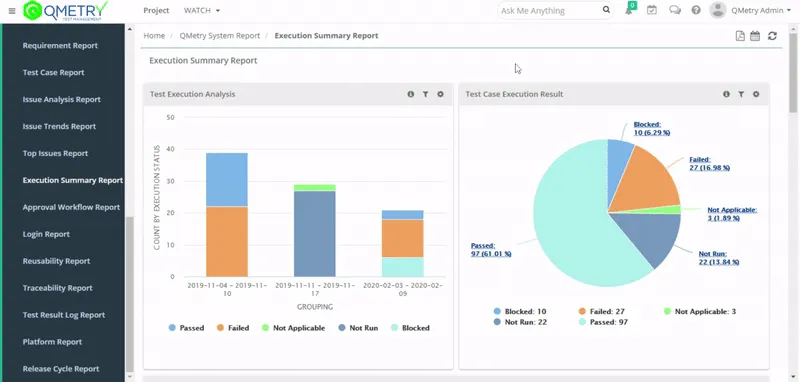
13. QMetry
QMetry is a comprehensive test management platform for Jira, built for enterprise-scale testing, emphasizing traceability, compliance, and advanced analytics. It supports manual, automated, and exploratory testing with strong reporting capabilities. QMetry integrates with CI/CD tools and automation frameworks. It features custom workflows and permissions, supporting complex team structures, which is also why it’s well-suited for large organizations with strict QA governance needs.
Key Features
QMetry’s main highlights are:
Jira-native test authoring: Offers simplified test authoring, versioning, and management inside Jira by creating, linking, and tracking test cases easily.
Test execution: Records test executions smartly with test cycles, with which testers can execute test cases multiple times while preserving the execution details.
Comprehensive reporting: Features dashboards and cross-project reporting for analytics, test runs, and traceability.
Pros
Its key advantages include:
Robust integrations with CI/CD tools
Strong traceability support
Compliance and audit trails
Works well in complex environments
Broad toolchain integrations
Configurable dashboards
Scales well with QA maturity
Cons
Some of its possible drawbacks are:
UI appears complex to first-time users
Learning curve for advanced modules
Pricing is not publicly transparent
Setup/configuration overhead
Heavy for very small teams
Not ideal for lightweight projects
Pricing
QMetry does not have transparent pricing. Users get a 14-day trial after submitting their information to sales and get a custom quote.
Ideal for
QMetry is ideal for:
Large QA teams
Enterprise organizations
DevOps with formal governance
Regulated industries (e.g., healthcare, finance)
Teams with complex testing requirements
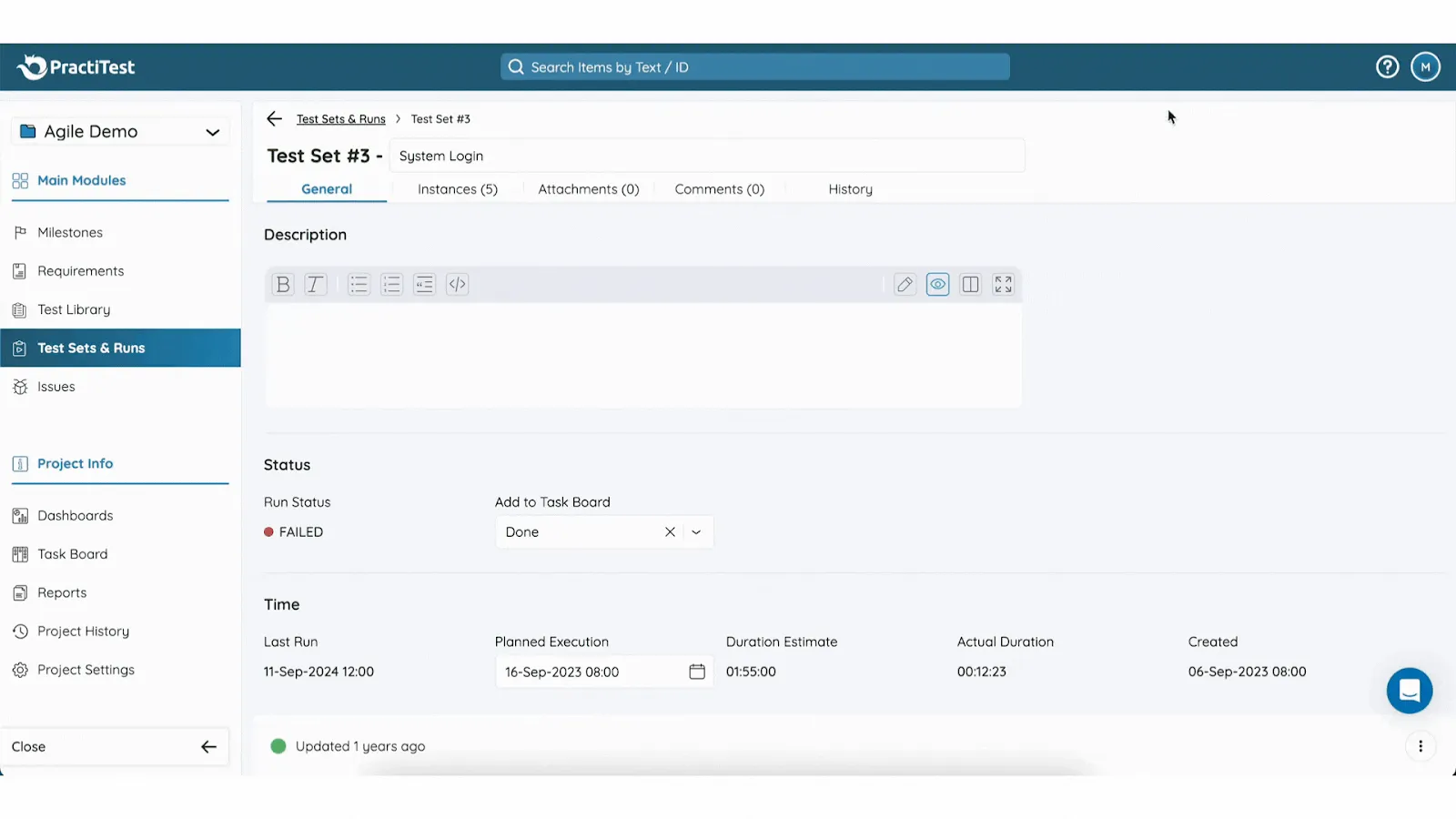
14.PractiTest
PractiTest is an end-to-end, centralized test management platform built for teams that need real visibility and control over their QA process. Instead of treating testing as an independent task, PractiTest connects requirements, test cases, executions, and defects in a single traceable workflow, giving both technical and non-technical stakeholders a clear picture of quality at any stage. Its customizable dashboards and advanced filters help you cut through noise to spot trends, risks, and coverage gaps without digging through spreadsheets. PractiTest is popular with mid-sized to large teams and regulated environments where audit trails and visibility matter.
Key Features
PractiTest boasts:
AI-driven capabilities: Helps teams optimize QA operations by streamlining time-consuming tasks, such as reusing test cases, with AI.
Real-time visibility: Offers customized, multi-dimensional filtering, allowing teams gain visibility for making strategic, data-driven decisions throughout planning and execution.
Advanced core architecture: Features a good foundational architecture and data management capabilities, helping teams generate quick reports, manage repositories, organize executions, and track milestones.
Pros
What makes it truly unique:
User-friendly interface
Versatile organization of test cases
Seamless integration with automation tools
Ease of test management
Prompt customer support
Offers 5 commenting users per license
Cons
Why some users skip PractiTest:
Filtering issues that hinder navigation
Difficult learning curve, especially for new users
Slow loading times and a non-intuitive interface impact workflow
Pricing
PractiTest has two pricing tiers:
Team: $54/user/month for a minimum of 5 users and up to 100, comes with a free trial.
Corporate: For a minimum of 10 users, requires contacting sales for a custom quote.
Ideal for
PractiTest is ideally suited for:
Scaling QA teams
Organizations with a higher QA budget
Teams looking for an advanced QA architecture
Teams that want full control over a test management tool with licensing
Best Test Management Tools: Comparison Table
Here’s a comprehensive overview of all test management tools in the list:
Tool
Key Highlights
Automation Support
Team Size
Pricing
Ideal For
TestFiesta
Flexible workflows, tags, custom fields, and AI copilot
Yes (integrations + API)
Small → Large
Free solo; $10/active user/mo
Flexible QA teams, budget‑friendly
TestRail
Structured test plans, strong analytics
Yes (wide integrations)
Mid → Large
~$40–$74/user/mo)
Medium/large QA teams
Xray
Jira‑native, manual/ automated/ BDD
Yes (CI/CD + Jira)
Small → Large
Starts ~$10/mo for 10 Jira users
Jira‑centric QA teams
Zephyr
Jira test execution & tracking
Yes
Small → Large
~$10/user/mo (Squad)
Agile Jira teams
qTest
Enterprise analytics, traceability
Yes (40+ integrations)
Mid → Large
Custom pricing
Large/distributed QA
Qase
Clean UI, automation integrations
Yes
Small → Mid
Free up to 3 users; ~$24/user/mo
Small–mid QA teams
TestMo
Unified manual + automated tests
Yes
Small → Mid
~$99/mo for 10 users
Agile cross‑functional QA
BrowserStack Test Management
AI test generation + reporting
Yes
Small → Enterprise
Free tier; starts ~$149/mo/5 users
Teams with automation + real device testing
TestFLO
Jira add‑on test planning
Yes (via Jira)
Mid → Large
Annual subscription starts at $1,100
Jira & enterprise teams
QA Touch
Built‑in bug tracking
Yes
Small → Mid
~$5–$7/user/mo
Budget-conscious teams
TestMonitor
Simple test/run management
Yes
Small → Mid
~$13–$20/user/mo
Basic QA teams
Azure Test Plans
Manual & exploratory testing
Yes (Azure DevOps)
Mid → Large
Depends on the Azure DevOps plan
Microsoft ecosystem teams
QMetry
Advanced traceability & compliance
Yes
Mid → Large
Not transparent (quote)
Large regulated QA
PractiTest
End‑to‑end traceability + dashboards
Yes
Mid → Large
~$54+/user/mo
Visibility & control focused QA
Cost Breakdown of Test Management Tools
Cost is always a big decider of things, so here’s a breakdown to help you make an informed decision.
Tool
Pricing
TestFiesta
Free user accounts available; $10 per active user per month for teams
TestRail
Professional: $40 per seat per month
Enterprise: $76 per seat per month (billed annually)
Xray
Free trial; Standard: $10 per month for the first 10 users (price increases after 10 users)
Advanced: $12 per month for the first 10 users (price increases after 10 users)
Zephyr
Free trial; Standard: ~$10 per month for first 10 users (price increases after 10 users)
Advanced: ~$15 per month for the first 10 users (price increases after 10 users)
Annual subscription (specific amounts per user band), e.g., Up to 50 users: $1,186/yr; Up to 100 users: $2,767/yr; etc.
QA Touch
Free: $0 (very limited)
Startup: $5/user/month
Professional: $7/user/month
TestMonitor
Starter: $13/user/month
Professional: $20/user/month
Custom: custom pricing
Azure Test Plans
Pricing tied to Azure DevOps services (no specific rate given)
QMetry
14‑day free trial; custom quote pricing
PractiTest
Team: $54/user/month (minimum 5 users)
Corporate: custom pricing
How to Choose the Right Test Management Tool for Your Team
Choosing the right test management tool isn’t just about the list of features; it’s about how well those features fit into your needs. The best tool for your team depends on how you work and where you’re headed in the near future; you want a tool that can grow with you. Below are the key factors to consider when evaluating options, with actionable questions to help you decide.
Team Size
Your team size directly impacts your choice of a test management tool.
Small teams (1–10): Lightweight, affordable tools with minimal setup work best. Tools like TestFiesta, Qase, and QA Touch let you get up and running quickly without complex configuration.
Mid‑sized teams (10–50): Mid-sized teams want a balance between rich features and cost-effectiveness, so they get more options, including TestFiesta, TestRail, Xray, Zephyr, and qTest.
Large teams (50+): Enterprise‑grade platforms such as TestFiesta (which keeps the pricing per user stable regardless of how big your team gets), qTest, QMetry, or PractiTest provide governance, traceability, and reporting at scale.
Distributed or cross‑functional teams: Prioritize tools with strong collaboration features and clear permissions so everyone stays in sync. Some options are TestFiesta, Azure Test Plans, and BrowserStack Test Management.
Budget
Whether you’re a small team or a large enterprise, cost is a significant factor to consider.
Tight budget: If you’re on a tight budget, tools like TestFiesta, QA Touch, Qase, TestMonitor, Zephyr (Standard), and Xray (Standard) should be in your shortlist.
Moderate budget: Tools like TestFiesta and TestMo balance features with cost-effective pricing.
Higher budget: Enterprise platforms (TestRail, qTest, QMetry) provide richer analytics and governance, but can be significantly more expensive, that too with their fair share of drawbacks.
Total cost of ownership: Factor in training, admin time, hosting (if not SaaS), and integrations, not just the license fee. Simpler SaaS tools like TestFiesta often have more to offer at less cost.
AI Support
AI capabilities are becoming a leading differentiator between tools, especially for agile QA teams that want to escape repetitive workflows and prioritize speed and efficiency.
AI‑assisted test creation: Tools with AI can auto‑generate test cases or suggest improvements based on patterns; TestFiesta and qTest are good examples.
AI analytics: Helpful for spotting coverage gaps or flaky tests without manual digging.
AI in automation: Some tools leverage AI to analyze automation health or map failures to potential root causes.
Keep in mind: AI isn’t essential. If you’re a manual-driven QA team, you can skip paying extra for AI, but if you’re scaling automation and want to reduce manual overhead, it’s a nice-to-have.
Testing Methodology (Manual vs. Automated)
Your testing approach should shape your choice.
Manual‑heavy teams: Tools with strong manual planning and execution workflows, clear test descriptions, and step‑reuse are best (TestFiesta, TestRail, and Zephyr)
Automation‑first teams: Look for platforms that capture, organize, and report automation results natively or via smooth CI/CD integrations (Xray, qTest, and BrowserStack Test Management).
Hybrid workflows: If you juggle both, choose platforms that unify manual execution and automated reporting in one place, such as TestFiesta, a manual test management tool that offers custom automation integrations.
Scalability
Scalability means both technical performance and process adaptability.
Technical scale: Ask yourself, can your tool handle large repositories of tests without slowing down? Do the latest releases and upgrades come with bugs or offer more ease of use?
Process scale: Does it support complex workflows, permissions, and reporting across multiple teams or products?
Governance: Larger orgs may need audit trails, role‑based access, and compliance reporting.
Cross‑project analytics: Can you view testing health across all products and teams in one dashboard?
Which Test Management Tool Is Best
Ultimately, the decision is solely in your hands. Many tools offer over-the-top features with advanced AI agents and extensive automations, but not all teams need that, so they pay extra for features they may not even use.
Tools that are simpler, flexible, intuitive, and actually solve ground-level QA issues are often more cost-effective and get work done faster. That’s because they do not offer complex pricing tiers, a huge list of add-ons, and a never-ending directory of features to confuse teams.
It’s always a good idea to prioritize tools that offer a free basic version or a free personal account so that you can try and test each capability before you decide to bring in your team.
TestFiesta promises true flexibility and intuitiveness, and also provides a free personal account at $0 forever for solo users. Sign up, get access to all features, conduct as many tests as you like, and if you’re convinced it’s the tool for you, you can bring in your team for a flat rate of $10/user/month; no complex tiers, add-ons, or custom quotes, only simplified, straightforward test management.
Conclusion
Choosing the right test management tool starts with aligning the tool with your team’s actual needs. Consider your team size, budget, testing methodology, integration requirements, and growth plans before making a decision.
The ideal tool should streamline your workflows, provide visibility into quality, and scale with your organization, not become a source of friction. Whether you’re a small startup looking for a lightweight, affordable solution or a large enterprise seeking full traceability and governance, there’s a test management tool that fits your requirements.
Investing the time to select the right platform now will pay off in faster testing cycles, better collaboration, and more confident releases down the line. To learn more about the right tool fit for your testing needs, book a demo today.
FAQs
What are test management tools?
Test management tools are software platforms that help QA teams plan, organize, execute, and track test cases for software testing. They centralize test cases, manage test execution, link defects, and provide reporting and traceability. These tools support manual and automated testing, improve collaboration, ensure coverage, and help teams maintain quality standards throughout the software development lifecycle.
What are the main benefits of a test management tool?
Primary benefits of a test management tool are its centralized test cases, streamlined execution, and defect tracking, which improve efficiency and collaboration. Test management tools provide traceability between requirements, tests, and bugs, enhancing reporting and visibility, which helps teams scale testing processes, all while maintaining organization and accountability across projects.
Is Jira a test management tool?
No, Jira is not a test management tool by itself. Jira is primarily a project management and issue-tracking platform used to manage tasks, bugs, and workflows. However, many teams use test management add-ons or plugins within Jira, like Xray and Zephyr, to manage test cases, test runs, and QA processes directly inside Jira. While Jira can host test management through extensions, it does not provide native test case management features out of the box. Many modern tools, like TestFiesta, can integrate with Jira for issue tracking.
Are test management tools scalable for teams of different sizes?
Yes, test management tools are generally scalable, but suitability varies by team size. Flexible tools like TestFiesta work well for all sizes of teams, because they provide scalability and can grow with your team. As your team expands or you get more test cases, a good tool supports your needs with workflow complexity and collaboration features.
What features should I look for when choosing a test management tool?
When choosing a test management tool, look for features that match your team’s workflow, size, and goals. Key aspects include flexible test case organization with folders, tags, and custom fields, strong automation integrations with CI/CD pipelines and issue trackers, and robust reporting and analytics for tracking coverage, progress, and trends. Collaboration capabilities, such as multi-user workflows and role-based access, are essential for team efficiency. Additionally, consider tools that allow easy migration from existing platforms, support exploratory testing and shared steps to reduce duplication, and offer clear pricing and scalability. Reliable customer support and onboarding resources can further ensure smooth adoption and long-term success.
What are free test management tools?
Free test management tools include TestFiesta (free solo accounts with full features), Qase (free tier up to only 3 users), BrowserStack Test Management (free plan available with basic functions), and QA Touch (limited free version). Other tools typically offer free trials but not fully free ongoing plans.
What is the average cost of a test management tool?
The average cost of a paid test management tool typically falls in the range of $10 to $40 per user per month for small‑to‑mid teams, with enterprise tools costing significantly more than the average. TestFiesta has a flat-rate pricing of $10/user/month for all features; no complex tiers or add-on plans.
How can I choose the right test management tool for my team?
To choose the right test management tool for your team, start by identifying your needs: team size, workflow complexity, automation requirements, and budget. Prioritize tools that offer good test organization (tags, custom fields), automation integrations, and solid reporting. Consider scalability and pricing transparency, plus whether you need Jira or DevOps ecosystem support. Finally, try free plans or trials to see which tool fits your workflow best before committing.
Tool
Pricing
TestFiesta
Free user accounts available; $10 per active user per month for teams
TestRail
Professional: $40 per seat per month
Enterprise: $76 per seat per month (billed annually)
Xray
Free trial; Standard: $10 per month for the first 10 users (price increases after 10 users)
Advanced: $12 per month for the first 10 users (price increases after 10 users)
Zephyr
Free trial; Standard: ~$10 per month for first 10 users (price increases after 10 users)
Advanced: ~$15 per month for the first 10 users (price increases after 10 users)
Almost every QA team hits a brick wall with spreadsheet-based test case management when it reaches 400 rows, multiple tabs, and no clear ownership of assignees. The obvious next step is to move to a dedicated test management tool, but that comes with a price tag.
For small or solo-user QA teams, paying for a tool does not always make sense. That’s why they start looking for free options. But is anything truly free? And if yes, to what extent? This guide covers the best free test management tools, along with what value a free version provides and what the starting price will be if you decide to use the tool to its full potential.
Almost every QA team hits a brick wall with spreadsheet-based test case management when it reaches 400 rows, multiple tabs, and no clear ownership of assignees. The obvious next step is to move to a dedicated test management tool, but that comes with a price tag.
For small or solo-user QA teams, paying for a tool does not always make sense. That’s why they start looking for free options. But is anything truly free? And if yes, to what extent? This guide covers the best free test management tools, along with what value a free version provides and what the starting price will be if you decide to use the tool to its full potential.
Are There Any Test Management Tools That Are Really Free?
The first is free SaaS tiers in tools like TestFiesta, Qase, and Testiny, which offer a permanent free plan with defined limits. You sign up, you use it indefinitely, and you pay nothing until you decide to move up a tier.
The second is open source, notably TestLink and Kiwi TCMS, which are free to license and self-host, with no seat caps at all. The drawback of open-source tools is that you have to supply the server, the setup time, and the maintenance.
What doesn’t belong in either camp is the free trial. Tools like TestRail, Zephyr, and Xray do not have free versions. They have free trials for evaluation.
What a Useful Free Test Management Tool Needs to Include
A free test case management tool only makes its case stronger when it has a set of valuable features. If everything is paywalled, then it’s not a free tool; it’s only a marketing scheme. Here’s what a useful free test management tool should include:
Core test management. Test case creation, test run execution, and pass/fail tracking should all be free. If the tool charges for these, it’s not a free plan but a demo of the interface.
At least one integration. A test management tool that can’t connect to your issue tracker on the free plan is skipping the most critical handoff in QA: the moment a test fails and a bug needs to be filed. Therefore, at least one integration, be it Jira, GitHub, or a CI/CD connector, should be there.
Reporting capabilities. Pass/fail rates, execution progress, and coverage visibility should be a part of the free tool. A QA manager who can’t show release readiness without upgrading to a paid tier is cornered.
A clear upgrade path. The free tool you use today is the tool you might finally decide to pay for. If the pricing model changes dramatically at scale, per-user costs that compound, features that disappear behind higher tiers, or test case data that is unaccounted for in the free version, you’re probably not using the right tool.
The 5 Best Free Test Management Tools
We evaluated a lot of tools in the market, and here are our top 5 picks, truly based on the value they provide.
1. TestFiesta: Free Test Management Built for Modern QA Teams
Beyond the essentials, the platform is designed to grow alongside your project’s complexity without forcing a costly migration mid-stream. You gain access to the same intuitive interface and powerful functionality whether you are running your first manual test suite or building a large-scale CI/CD pipeline.
By avoiding the typical feature-gating found in other tools, TestFiesta lets your team maintain high momentum from the very first day. It is an ideal, sustainable choice for teams that prioritize consistent and sustainable testing workflows. The upgrade path follows a simple logic: If you ever decide to bring your team into the tool, you only have to pay a flat rate of $10/user/month (only billed on active users) and get full feature coverage.
2. Qase
Qase has a polished free tier, which supports up to 3 users and covers core test case management, test plans, runs, defect management, API access, and unlimited read-only users, making it genuinely functional for teams of up to 3 users. Jira integration is available, and strong BDD/Gherkin support plus official reporters for Playwright and Cypress make it a natural fit where developers and QA share the tool. That said, the free tier caps you at 2 projects, 500MB of storage, and 30 days of test run history, with no dashboards or custom fields. You’re bound to hit either a feature wall or a headcount wall, whichever comes first. If you decide to upgrade to a paid tier, the startup tier runs at $30/user/month.
3. Testiny
Testiny is designed for teams migrating from spreadsheet-based test management. Its interface is intentionally familiar to teams managing test cases in a spreadsheet, which flattens the learning curve for QA teams making their first move to a dedicated tool. The free plan supports small test teams of up to 3 people and includes basic integrations with Jira, GitHub, and GitLab. One drawback: The free plan also carries limits on test cases, test runs, and storage, so you might need to upgrade at some point. The design is also not a strong suit of Testiny. The simple layout makes onboarding easy but also caps its depth due to the lack of advanced dashboards. The automation integration is also not as deep as other tools in this list. It’s a good first step for teams moving from spreadsheets, though it’s not a long-term platform for teams that are meant to grow. If you decide to switch to a paid plan, it starts at $18.50/user/month.
4. TestLink
TestLink is an open-source test management platform that is free to license for unlimited users and unlimited test cases, along with full requirement traceability and complete data control. If you have a team with a budget and infrastructure to self-host and the engineering capacity to maintain it, TestLink delivers a vast feature set with raw capabilities. Even though it’s free on the surface, you have to factor in the costs of server hosting, setup time, and ongoing maintenance. Moreover, since TestLink was first launched in 2003, its UI is a bit dated, and users also miss native automation integration that comes with other platforms.
5. Kiwi TCMS
Kiwi TCMS is another open-source, free test management tool, and it can be considered a modern alternative to TestLink. In comparison to TestLink, it has a cleaner UI and features test runner plugins for JUnit, TAP, and other popular frameworks to collect automation results. It also integrates with Jira, Bugzilla, and GitHub for issue tracking. The Community Edition (self-hosted and supported) is free. For teams that want self-hosting with limited non-technical support, the plan costs $25/month. The Private Tenant, which is SaaS-hosted, runs at $57/month with unlimited users. Where the free version of Kiwi TCMS hits its ceiling is self-hosting, which demands infrastructure and maintenance capabilities. And if you decide to pay, well, there are more affordable options out there.
TestFiesta Grows With Your QA Team: From Free to Production-Ready
When evaluating the right free test management tool, don’t just look for features; look for design, structure, upgrade path, and pricing model. All of it should make sense for where your team is going in the near future, not just where it is today. Seat limits, gated reporting, and shallow integrations are all solvable problems, but only if the tool you chose on day one is built for the team you’ll be on day 500.
That’s where TestFiesta covers the gap. It was built for teams stuck with dated test management tools with rigid structures and paywalled basic features. TestFiesta makes test case management super easy and flexible for teams, whether they are performing manual test management or shipping on CI/CD pipelines. It has centralized test case management, native bug tracking, deep Jira and GitHub integration + API access for every other integration, collaborative team conversations, custom fields, flexible tagging, reconfiguration matrix, shared steps, templates, and much more—all for free. If you ever decide to upgrade, you’ll get AI Copilot for test case generation only for a flat rate of $10/user/month.
Ready to upgrade your QA process without breaking the budget?
TestFiesta offers full core workflow access to help you maintain momentum from day one.
No, TestRail does not offer a permanent free plan, only a 30-day free trial for its Professional and Enterprise plans.
What’s the difference between a free test management tool and a free trial?
A free tier is a permanent plan with a defined feature set. You can use it indefinitely without paying. A free trial is a time-limited evaluation of a paid product, typically 14 to 30 days.
Can a free test management tool handle automated test results?
Yes, some tools like TestFiesta support CI/CD integration on the free tier, which helps handle automated test results.
When should a QA team move from a free tool to a paid one?
A QA team should move from a free tier to a paid one when the free tier starts creating bottlenecks in your testing plans, such as seat limits or AI features.
QA trends
Testing guide
June 22, 2026
QA trends
AI Test Case Generation: Is It Really Worth It?
For all the noise around AI-powered test case generation, the real question isn’t whether it works (we know it does). It’s whether it’s actually worth trusting artificial intelligence with the parts of your software that break under real user pressure.
For all the noise around AI-powered test case generation, the real question isn’t whether it works (we know it does). It’s whether it’s actually worth trusting artificial intelligence with the parts of your software that break under real user pressure.
When vendors try to sell “AI” as part of their test management system, they promise speed, coverage, and a future where QA scales effortlessly, but anyone who has shipped complex systems knows that testing isn’t a typing problem. It’s a thinking problem.
In many cases, your requirements doc does not include context, intent, risk, and failure patterns, because that’s something that an experienced tester is well aware of. So why would any team hand over one of the most judgment-heavy fields to algorithmic models? It’s worth pausing to separate measurable gains of AI from the marketing gloss.
What Is AI Test Case Generation?
AI test case generation is an intelligent automation technique that uses artificial intelligence and machine learning to automatically create, optimize, and maintain test cases, drastically reducing manual effort and accelerating your testing cycles. Rather than QA teams spending hours writing test cases by hand, AI analyzes your application code, user workflows, and existing test patterns to intelligently generate comprehensive test coverage in minutes.
This approach unblocks your team from tedious test authoring, letting them focus on strategic quality challenges while AI handles the heavy lifting. By dynamically adapting to code changes and identifying edge cases humans might miss, AI-powered test case generation delivers smarter, faster releases with fewer regressions.
For QA leaders, this means turbocharged productivity, with teams seeing test authoring time reduced by up to 90%.
How Is AI Test Case Generation Different From Manual Test Case Creation?
AI test case generation and manual test case creation differ in how the thinking behind the test case happens. Manual test creation is driven by human intuition. Testers take into account user behavior, edge cases, risk areas, and business impact, and craft test case scenarios with intent. AI-driven generation, on the other hand, relies on patterns in data: requirements, user flows, logs, or historical tests, producing large volumes of cases quickly but with limited understanding of why a scenario matters.
Where manual testing emphasizes depth, judgment, and context, AI emphasizes speed, breadth, and repeatability. In practice, one optimizes for insight, the other for scale. That said, with reliable AI-powered test case generation, testers can add context, requirements, screenshots, notes, and whatever else is available to get relevant test cases. A good tool will skip spraying-and-praying and provide good, contextually-aware cases and not generic templates, and let you refine until you’re perfect with the outcome.
How Test Case Generation Using AI Works
At a high level, AI systems take structured and unstructured inputs from across the software development life cycle (SDLC), interpret intent using language and learning models, and then come up with test scenarios based on patterns, risk signals, and prior knowledge. In this section, we’ll break that down into two parts: what AI uses as input to generate test cases, and the techniques working behind the scenes to turn those inputs into executable tests.
Input Sources for AI Test Case Generation
AI systems are only as effective as the signals they receive. Modern AI test management tools pull from multiple sources to understand what to test and how to test it. These sources include:
Requirements Documents: AI parses functional and non-functional requirements to extract actions, conditions, constraints, and expected outcomes, forming the backbone of test scenarios.
User Stories & Acceptance Criteria: User stories and acceptance criteria provide behavioral context, helping AI map user intent, happy paths, and validation rules into test flows aligned with business goals.
Existing Test Cases: Historical tests act as training data, allowing AI to learn structure, coverage patterns, and common assertions used by human testers.
Application UI and Design Analysis: By analyzing UI elements, flows, and screen states, AI can gather possible interactions and generate UI-level test cases.
Structured Input Parsing: Inputs like APIs, schemas, configs, and data models give AI precise, machine-readable definitions for generating test cases.
Change Impact Analysis: When code or requirements change, AI evaluates what’s affected and prioritizes or regenerates relevant test cases instead of re-testing everything, saving time.
Reinforcement Learning: Some AI systems refine test generation over time by learning which tests find defects and which add little value.
AI and ML Techniques Behind the Scenes
Behind the scenes, multiple AI techniques collaborate to transform raw inputs into meaningful test cases. These techniques include:
Natural Language Processing (NLP): NLP helps AI understand human-written text, extracting entities, actions, conditions, and expected behavior from requirements and stories.
Machine Learning Models: These models learn correlations between application features and test coverage needs, improving relevance over time.
Large Language Models (LLMs): LLMs generate human-like test steps and assertions by reasoning over context, not just keywords, bridging the gap between text and logic.
Pattern Recognition From Historical Test Data: By analyzing past defects, flaky tests, and coverage gaps, AI identifies recurring risk patterns and targets them proactively. That’s something a human tester may miss.
Benefits of AI-Based Test Case Generation
If you’re a tester, AI isn’t taking your job. But it’s definitely able to remove mechanical work from your daily routine that slows you down. When applied correctly, AI shifts testing from manual construction to intelligent oversight, allowing teams to scale coverage without scaling effort. Below are the most meaningful advantages when AI is used with clear intent and the right guardrails.
Faster Test Creation
AI can generate large volumes of test cases in minutes by analyzing requirements, user flows, and historical data, dramatically reducing the time spent writing repetitive scenarios. This speed is especially valuable during early development and frequent release cycles.
Improved Test Coverage
By scanning multiple input sources simultaneously, AI identifies variations and paths that humans often miss, helping teams achieve broader functional and edge-case coverage without exhaustive manual effort.
Reduced Human Error
Manual test creation is vulnerable to oversight; there’s no doubt about that. Even experienced testers fall into inconsistencies and fatigue. AI applies rules and patterns uniformly, minimizing gaps caused by missed steps, assumptions, or copy-paste mistakes.
Better Handling of Complex Workflows
For applications with multiple integrations, states, and dependencies, AI excels at mapping combinations and sequences that are difficult to cater to manually, particularly in regression-heavy systems.
Continuous Learning and Optimization
Unlike static test suites, AI-driven systems continue to evolve. They learn from execution results, failures, and change history, allowing them to continuously refine the priorities of test cases.
Best Practices for Using AI for Test Case Generation
AI can dramatically accelerate test case generation, but only when it’s treated as an intelligent assistant and not an autonomous authority. The teams that see real value are deliberate about how AI is introduced, trained, and governed. These best practices help ensure AI-generated tests improve quality instead of introducing new risks:
Combine AI-Generated and Human-Reviewed Test Cases
AI excels at generating volume; humans excel at judgment. Always subject AI-generated test cases to expert review to validate intent, risk relevance, and business impact, especially for critical workflows.
Start With Well-Written Requirements
AI mirrors the clarity of its inputs. Ambiguous, outdated, or incomplete requirements/input lead to equally flawed test cases, so investing in precise documentation directly improves AI output quality, as well as human judgment against scope.
Continuously Train Models With Real Test Data
Feeding AI real execution results, defect data, and historical test outcomes allows it to learn which scenarios uncover issues and which add little value. This continuous training sharpens relevance over time.
Monitor and Refine AI Outputs
AI-generated tests should be audited regularly. Testers should track redundancy, false positives, coverage gaps, and maintenance overhead to make sure the AI system remains an asset rather than a silent liability.
How to Choose the Right AI-Powered Test Case Generation Tool
Selecting an AI test case generation tool involves finding the one that fits your team’s reality and your product’s complexity. The right choice balances technological capability with how your team actually works today and where you want to go tomorrow.
Below are key factors to consider when evaluating options:
Team size & testing maturity: Tools should align with your team’s scale and experience. Smaller teams with limited QA may benefit from AI that emphasizes simplicity and guided workflows, while mature QA organizations might prioritize configurability and deep customization.
Manual vs automation-heavy workflows: Evaluate whether your current practice leans toward exploratory/manual testing or automation-first pipelines. Some AI tools are optimized for augmenting manual test design, while others integrate tightly with automated frameworks and script generation.
Integration with CI/CD and issue trackers: Seamless connectivity to your existing CI/CD pipeline and issue trackers reduces friction and turns AI outputs into actionable, automated checks.
Budget and scalability: Evaluate not just license or purchase cost, but total cost of ownership, including training, data preparation, model tuning, learning curve, and ongoing maintenance. The right tool should be able to scale with your codebase and team without exponential cost increases.
Using TestFiesta for AI Test Case Generation
TestFiesta’s AI Copilot brings this power directly into your test management workflow, letting you and your team generate, refine, and orchestrate tests on your terms, no complex setup required.
Context-Aware Test Cases: You provide the context, requirements, screenshots, or notes, and AI Copilot does the writing. It’s as easy as that.
No Generic Templates: AI Copilot provides relevant test cases based on context. No generic templates, filler, or fluff.
Review, Refine, Ship: Generate your test cases with a click, review them, and refine them until they’re perfect. Add them to your test suite—nothing gets approved without your sign-off.
Ready to scale your testing without sacrificing quality?
See how test case generation using AI can streamline your workflows and help your team ship faster.
Yes, but with limits. AI can generate test cases from requirements, user stories, or prompts without human input. However, it still needs context. Vague inputs produce vague tests. A human needs to review output for accuracy, coverage gaps, and edge cases.
How accurate is AI test case generation?
Generally, 70-85% accurate for well-defined requirements. Accuracy drops significantly with ambiguous inputs, complex business logic, or domain-specific workflows that the AI hasn’t been trained on. You'll always need a QA engineer to validate and fill gaps, especially for edge cases and negative scenarios.
Does AI test case generation offer good value for money?
Yes, for most teams. The main value is speed. Tools like TestFiesta can reduce test authoring time by up to 90%. That translates directly to engineering hours saved. The ROI is strongest for teams with large test suites or frequent requirement changes.
Do AI test case tools replace QA analysts?
No. They eliminate repetitive authoring work, not judgment. QA analysts are still needed for exploratory testing, risk assessment, test strategy, reviewing AI output, and understanding the product deeply enough to know what matters.
What AI engine do test case generation tools use?
Most use large language models (LLMs) under the hood, primarily OpenAI’s GPT-4 or Anthropic’s Claude.
What are the limitations of using AI test case generation?
AI test case generation has several notable limitations that teams should factor in before relying on it heavily. It’s highly dependent on the quality of input. Vague or incomplete requirements produce equally vague tests. It also lacks domain knowledge, meaning it won’t understand your specific product, users, or business logic unless explicitly provided. Perhaps most critically, it tends to favor happy path scenarios and misses subtle edge cases. Human QA oversight remains essential.
QA trends
June 15, 2026
QA trends
Top 10 AI Test Management Tools in 2026
The software industry has been through a huge shift in the last 5 years, and artificial intelligence was a huge part of that change. The teams that develop, test, and ship software aren’t just looking for a place to document test cases anymore. They want tools that help them write faster, clean up outdated ones, suggest improvements, and reduce duplication, basically handling all the grunt work. That is where a solid AI-driven test management tool comes in.
The software industry has been through a huge shift in the last 5 years, and artificial intelligence was a huge part of that change. The teams that develop, test, and ship software aren’t just looking for a place to document test cases anymore. They want tools that help them write faster, clean up outdated ones, suggest improvements, and reduce duplication, basically handling all the grunt work. That is where a solid AI-driven test management tool comes in.
But the thing is, not every tool that says ‘AI-powered’ is actually useful in the same way in practice. Some tools offer surface-level automation, while other tools embed AI in ways that genuinely reduce effort and improve quality.
This guide compiles the list of top 10 AI test management tools in 2026, based on how well they support modern QA workflows. Let’s take a look at what each tool does well, where it fits best, and how it handles real-world testing needs.
The Role of AI in Test Management
A couple of years ago, AI in test management mostly meant automation tips or simple smart search. It looked good in demos, but in everyday QA work, it didn’t really make much difference. That’s changed now.
In 2026, AI is less about flashy features and more about reducing the small, repetitive tasks that quietly drain QA teams, such as writing test cases again and again, updating steps after minor UI changes, cleaning up duplicates, and figuring out which tests are still relevant.
AI has made all of this easier now. When creating test cases, AI can turn rough requirements, user stories, or even short prompts into test scenarios. It can suggest edge cases that might be easy to overlook. For existing test suites, it can flag redundancy and recommend edits as features evolve. All of this saves a huge amount of time and effort.
The bigger impact of AI shows up in maintenance. As products grow, test suites get harder to manage. Some tests are outdated, some are rarely run, and some overlap with others. Without regular cleanup, the test suite gets messy. AI can help by spotting patterns like which tests keep failing, which ones haven’t been used in a while, and where coverage might be thin. This helps QA leads get clearer signals about what actually needs attention.
That being said, AI has not replaced human judgment. It has shifted effort away from manual, repetitive work to more strategic work. Now, teams can spend more time on assessing risk and improving quality instead of spending time formatting and reorganizing. Today, AI in test management is all about keeping testing manageable as systems, teams, and release cycles continue to expand.
10 Best AI Test Management Tools in 2026
Almost every test management tool in the current space claims to be ‘AI-powered.’ While some of these tools actually help QA teams save time and work more efficiently, others just add a few smart suggestions without making a big difference—these are the tools you want to avoid.
Below is a practical look at 10 tools that genuinely stand out, whether that’s through better test creation, easier maintenance, clearer insights, or smoother collaboration.
1. TestFiesta – AI Copilot
TestFiesta offers teams with AI support without losing control or beating around the bush. One of the standout features in TestFiesta is its AI Copilot. It helps generate context-aware, relevant test cases instead of providing generic templates. You can add requirements, screenshots, or simple notes, and it turns that input into structured test cases. The latest update in AI Copilot will also allow users to execute test runs. It is simple, practical support right where you need it.
Key Features of TestFiesta
AI Copilot for drafting and improving test cases
In-app Fiestanaut AI for guidance, quick tips, and tutorials
Built-in bug tracking
Universal tagging and flexible folder structure
Shared steps and reusable templates
Custom fields and configuration matrix
Custom widget-based dashboards and in-depth multi-format downloadable reports
Integrations with Jira, GitHub, and CI/CD tools
Pricing
Free: Personal account with core features.
Organization: Organization plan starts at $10 per active user per month.
2. Testomat
Testomat is a web-based test management tool that brings manual and automated testing together in one place. Teams can organize, run, and report on tests while keeping everything synced with popular automation frameworks and CI/CD systems. Built-in AI helps with things like generating test cases and suggesting improvements, making it easier to scale test coverage
Key Features
AI-assisted test generation and smart suggestions
Unified manual + automated test management
Real-time reporting and analytics dashboards
Support for BDD/Gherkin editing and templates
Integrations with Jira, GitHub, GitLab, Cypress, and more
Pricing
Free: $0/month, ideal for individuals or small teams with limited projects.
Professional: Around $30 per user per month with extended features and integrations.
Enterprise plan: Custom pricing with advanced AI features.
3. Qase
Qase is a modern test management platform that helps teams plan, execute, track, and analyze tests with fewer fragmented tools, and it includes an AI assistant called AIDEN that can generate or convert tests and help with automation workflows. The interface is designed to be intuitive, and it integrates with popular tools like Jira, GitHub, Slack, and others.
Not a fan of Qase? Explore best Qase alternatives for test management in 2026.
Key Features
Test case, test run, and plan management in a unified workspace
AI-powered assistance (AIDEN – credit-based) for generating and converting tests
Defect tracking and shared steps to reduce duplication
Integrations with Jira, GitHub, GitLab, and more
Custom dashboards, reports, webhooks, and filters
Role-based access control
Pricing
Free plan: $0 per user, great for individuals or very small teams.
Startup plan: Around $30 per user/month, includes up to ~20 users.
Business plan: Around $36 per user/month.
Enterprise: Custom pricing, includes SSO, SLA, and dedicated support.
4. Testsigma
Testsigma is a cloud-based AI-driven test automation and management platform that helps teams design, execute, and maintain tests without heavy coding. It uses natural language and AI agents to simplify creating tests for web, mobile, APIs, and more, and aims to reduce maintenance effort while improving test coverage.
Key Features
AI-powered test generation and execution support (agentic automation)
Codeless test creation using plain language
Unified handling of manual and automated tests
Integrations with CI/CD pipelines and other tools
Parallel execution and cross-platform testing (web, mobile, APIs)
Pricing
Pro Plan: Custom pricing with full automation and management features.
Enterprise: Custom pricing with advanced options tailored to larger teams.
5. QAtouch
QA Touch is an AI-powered test management platform designed to help QA teams plan, manage, and organize testing in one place. It simplifies everything from test case creation to execution, defect tracking, and reporting, with built-in AI that can generate test cases from prompts, Jira stories, or requirement documents.
Key Features
AI-powered test case creation from text, Jira stories, BRDs, or design mockups
Test case and test run management with dashboards and reporting
Built-in bug tracking and issue management
Time tracking and activity logs
Custom roles and real-time collaboration features
Pricing
Free: $0 forever
Startup: ~$5 per user/month
Professional: ~$7 per user/month
Unlimited: ~$15 per user/month
6. TestRail
TestRail is one of the most established names in test management. Its popularity largely comes from being a long-standing tool that many QA teams have used for years. It’s widely adopted in structured, enterprise environments where detailed planning, execution tracking, and reporting are essential. TestRail has AI-powered test case generation, allowing teams to input requirements and generate structured test cases. The AI is designed to assist, not automate blindly, and includes admin controls for governance.
Server (On-Premise): Custom pricing (minimum 10 users, annual contract required)
7. PractiTest
PractiTest is an AI-supported test management platform built for enterprise teams that need strong visibility and governance. It centralizes requirements, tests, defects, automation results, and reporting in one system, creating a single source of truth. Its AI assistant, SmartFox, helps refine test steps, detect defect patterns, and improve traceability across the release cycle. With flexible automation integrations and real-time dashboards, it’s well-suited for complex or regulated environments.
Natural language support for writing and improving test cases
AI-based defect clustering and trend insights
Full workflow coverage from requirements to release
Works with any automation framework through flexible integrations
Real-time dashboards for tracking quality and release readiness
Pricing:
Professional Plan: Around $39–$49 per user/month.
Enterprise Plan: Around $49 per user/month with larger team support.
8. Zephyr
Zephyr continues to be a solid player, especially for teams built around Jira. Its AI features help with duplication detection and coverage suggestions, while its native integration makes test traceability easier.
Key Features
Jira-native test management
AI-assisted editing and suggestions
Execution tracking
Reporting and metrics
Automation support
Pricing
Zephyr Scale: Free for up to 10 Jira users
Zephyr Squad / Essential: Starts at about $10 per user/month on Jira Cloud for small teams
9. QMetry
QMetry is an enterprise-grade test management platform built to help QA teams plan, organize, execute, and report on testing at scale. It supports both manual and automated testing workflows, strong traceability, integrations with tools like Jira and CI/CD systems, and AI-enabled features (such as predictive suggestions, duplicate detection, and coverage insights). It’s designed for larger teams and complex projects where deep analytics and governance matter.
Key Features
Manual & automated test case management with version control and traceability
AI-enabled test authoring assistance and smart suggestions
Detailed dashboards and reporting with coverage analytics
Integrations with Jira, Azure DevOps, automation frameworks, CI/CD tools, and more
Reusable test assets, customizable workflows, and advanced filter options
Pricing
QMetry does not publish transparent pricing on its site, teams usually need to contact sales for a custom quote.
10. TestMonitor
TestMonitor is a cloud-based test management platform designed to simplify the entire QA process, from planning and executing test runs to tracking issues and reporting on results. It’s built to give teams real-time visibility into testing progress, link requirements with outcomes, and make test execution more structured and reliable for both manual and automated efforts.
Key Features
Test case and test run management with milestones and sprint planning
Built-in issue tracking with optional integrations for external bug trackers
Real-time reporting dashboards and metrics for better decision-making
Requirement and risk management to tie tests to product goals
Integrations with tools like Jira, Azure DevOps, Slack, and Asana
Pricing
TestMonitor offers a 14-day free trial to try out features with no commitment. After the trial:
Starter: ~$13 per user/month (includes 3 users)
Professional: ~$18 per user/month
Enterprise: Custom pricing with advanced security
What to Look for in an AI-Powered Test Management Tool
When choosing an AI-powered test management tool, it’s important to find one that actually reduces effort instead of adding complexity. Many tools claim to be AI-powered, but the real value shows up in day-to-day use, when writing tests, maintaining them, or managing the test suite. The goal should be practicality when adopting the tool.
AI-Based Test Case Generation: AI-generated test cases should save time without removing control. A good tool lets you feed in requirements, user stories, or short prompts and get structured test cases back, but still gives you full editing control.
Integration With Automation Frameworks: Test management shouldn’t feel disconnected from the rest of your workflow. It should plug into your automation tools and CI/CD setup without friction.
Customizable Analytics and Reporting: Reporting should help teams understand what’s actually going on in a release. It should make it easy to spot risk areas, recurring failures, and gaps in coverage without digging through multiple screens. A good platform lets you adjust dashboards, filters, and metrics so the reports match how your team works.
Flexibility in Features: The tool should adapt to your workflow, not force you into a rigid structure. Flexible tagging, reusable steps, custom fields, and configurable workflows make a difference over time.
Why Use TestFiesta for AI Test Management in 2026
When teams look for an AI-powered test management tool in 2026, TestFiesta stands out because it blends flexibility and practical workflow features that teams actually use day to day.
It is built around the idea that QA should adapt to your process, not force your process into rigid templates, and that shows up in how tests are created, organized, and executed.
Here’s what makes TestFiesta a strong choice:
AI Copilot for Test Case Creation: TestFiesta’s AI Copilot gives you practical help across the entire testing lifecycle, from generating initial test cases based on context to refining steps as products evolve.
Flexible Organization and Tags: You can organize work the way your team prefers, using folders, unlimited custom tags, and fields, instead of being forced into rigid structures.
Reusable Steps and Templates: Common actions like login or checkout can be defined once and reused across many tests, saving time and cutting down maintenance as things change.
Custom Fields and Configurations: You can tailor what data you track and how tests behave in different environments, making the tool fit your workflow rather than the other way around.
Affordable and Transparent Pricing: TestFiesta offers unlimited access to all features for a flat rate per active user, with a free personal account to get started.
QA trends
Ready for a Platform that Works
The Way You Do?
Stop fighting your tools. Start shipping with confidence. TestFiesta adapts to your workflow, not the other way around.



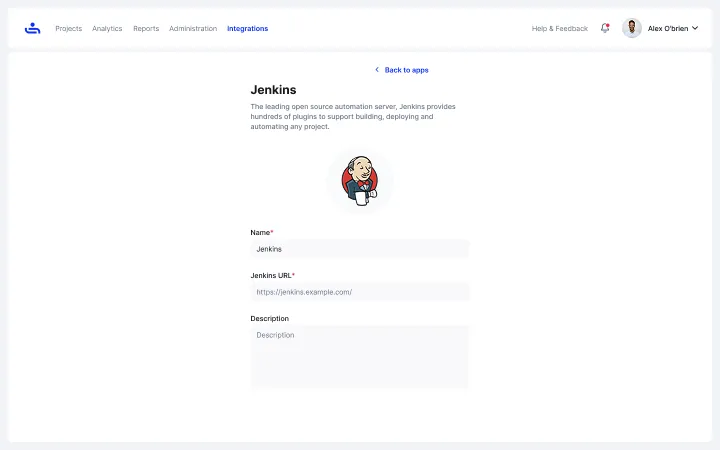
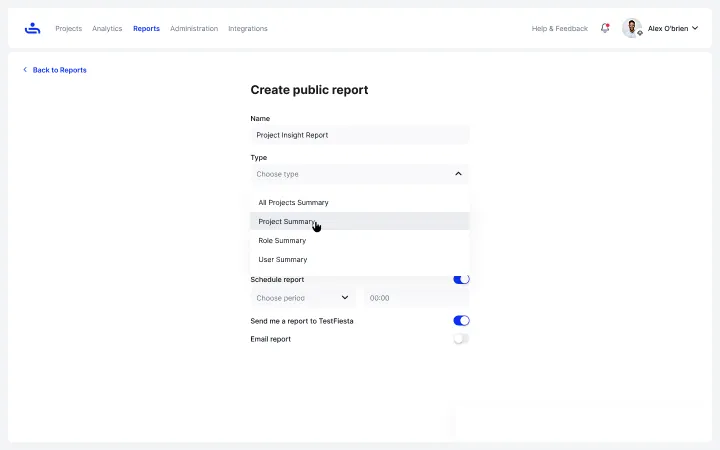
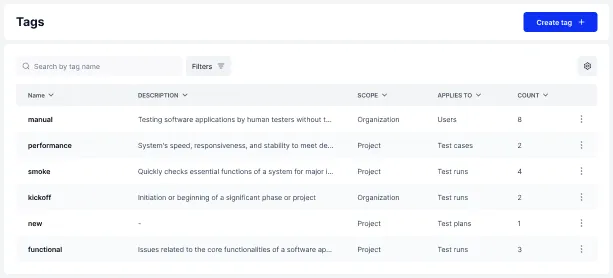
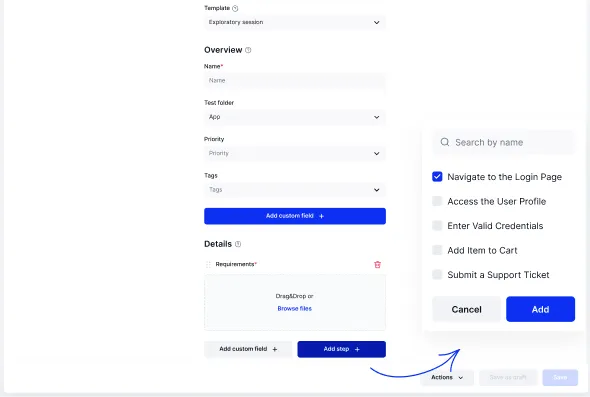
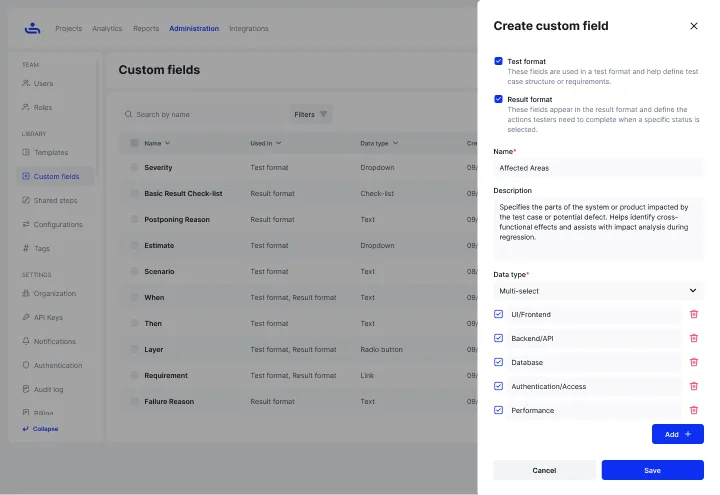
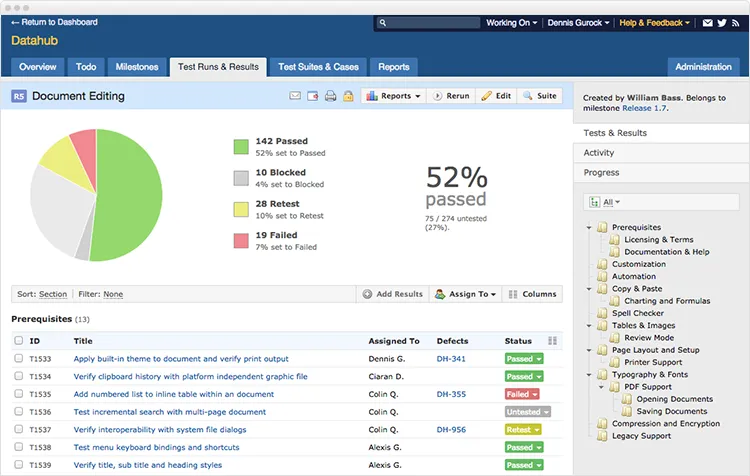
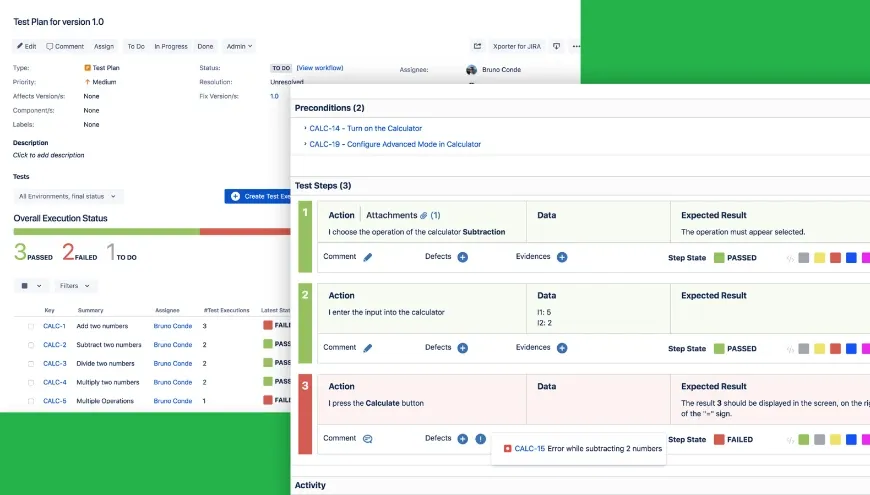
.png)