

QA trends

8 TestRail Alternatives That Make Switching Easier in 2026

by:

Armish Shah

February 22, 2026

8

min

Share:

Introdaction

Along with the rest of the software industry, test management has also changed significantly. Agile teams release more frequently, requirements evolve faster, and QA is expected to keep pace without slowing delivery. To support that reality, test management tools need to be flexible, quick to adapt, and practical in day-to-day use.

For a long time, TestRail has been a reliable choice for managing test cases, and for many teams, it still gets the job done. But as workflows grow more complex and release cycles tighten, some teams are starting to notice where traditional test management approaches begin to fall short.

That’s where TestRail alternatives come in. Today’s options aren’t just about replacing one tool with another; they’re about reducing friction, improving visibility, and supporting modern QA practices without forcing teams into rigid processes. Some focus on flexibility, others on automation-friendly workflows, better reporting, simpler pricing, or stronger support.

In this article, we’ll look at TestRail alternatives that make switching easier in 2026.

What Is TestRail

TestRail is a test management tool designed to help QA teams organize, document, and track their testing efforts. At its core, it gives teams a central place to store test cases, plan test runs, record results, and report on overall testing progress. For many years, it has been one of the most widely used tools in this space, especially for teams that need a structured way to manage manual testing.

Most teams use TestRail to create and maintain test case libraries, group tests into folders, and execute them through test runs tied to releases or sprints. It also offers reporting to help teams understand pass/fail rates and track testing status over time. For companies with relatively stable workflows and well-defined processes, this approach can work reliably. 

TestRail is often adopted because it's familiar, established, and widely supported by the QA community. Many testers encounter it at the start of their careers, and a lot of teams continue using it simply because it is already embedded in their processes. It integrates with tools like Jira and supports both manual and automated testing workflows at a basic level. 

That being said, TestRail was built in an era when test management was more static. As QA teams grow, release speed up, and testing becomes more dynamic, teams start to feel the limitations of rigid structures and manual maintenance. 

Why You Should Consider TestRail Alternatives

For many teams, TestRail usually works well at the beginning. It gives structure, a central place for test cases, and a familiar way to manage test runs. The problems usually don't arise overnight; they usually creep in as teams start to grow, products evolve, and testing needs become more complex. 

One of the biggest challenges teams run into is rigidity. TestRail relies heavily on fixed structures like folders and predefined workflows. This can feel manageable with a small test suite, but as coverage grows, those rigid structures often lead to duplicated test cases, confusing workarounds, and extra cleanup just to keep things organized. 

Reporting and visibility can also become frustrating. While TestRail does offer reports, many teams find themselves exporting data and rebuilding views elsewhere just to answer basic questions about progress, risk, or release readiness. When leadership needs quick insights, QA teams often have to do extra work to present information clearly.

Then there's this issue of support and responsiveness. Test management tools sit at the core of QA workflows, so when something breaks or behaves unexpectedly, teams need timely help. Many TestRail users report long response times for support tickets, which can be especially painful when testing is blocked during an active release. 

None of this means TestRail is a bad tool. It simply reflects the fact that it was designed for a different stage of test management. Modern QA teams need tools that adapt as workflows change, reduce manual effort rather than add to it, and provide clear visibility.

That's why more teams are now exploring TestRail alternatives because their software testing strategies and processes have outgrown what TestRail was built to handle long-term. 

Best TestRail Alternatives for 2026

As test case management needs continue to evolve, many QA teams are looking beyond legacy options to tools that better fit modern workflows. Below is a list of eight test management platforms that teams are considering in 2026, accounting for flexibility, integrations, ease of use, and value alongside TestRail. Each entry includes a brief overview, key features, and pricing insights to help you decide which might fit your team best.

1. TestFiesta

TestFiesta is a test management tool built for teams that have outgrown rigid workflows. Instead of forcing everything into fixed structures, it gives QA teams the flexibility to organize tests, run them, and report on results in a way that matches how they actually work.

It's especially useful for teams dealing with large or changing test suites. Features like shared steps, reusable configurations, and customizable fields reduce duplication and ongoing maintenance. 

Key Features

  • Flexible test management, organization, and tagging
  • Shared steps and reusable components
  • Custom fields and templates that adapt to your process
  • Dashboards and customizable reporting
  • Integrations with development and issue tracking tools

Pricing

  • Personal Account: Free forever,  no credit card required, solo workspace, and all features included.
  • Organization Account: $10 per user, per month, with a 14-day free trial and the ability to cancel anytime.

2. QMetry

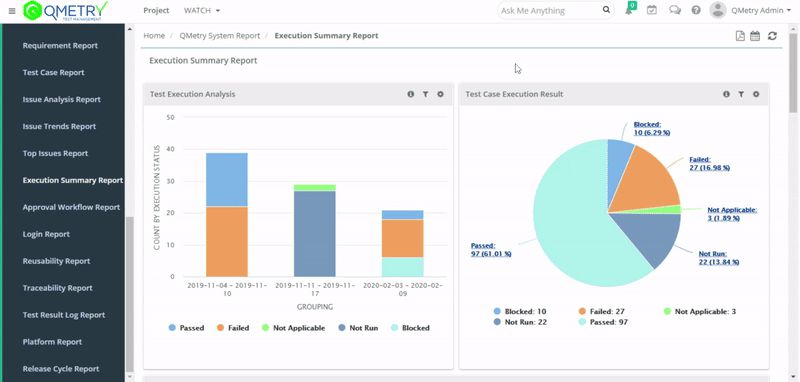
QMetry test management is an AI- enabled platform that helps teams scale their QA practices. It combines test case management with automation support and integrations across CI/CD tools. QMetry includes features like intelligent search and automated test case generation to support agile teams. 

Key Features

  • AI-assisted test creation and search
  • Support for automation frameworks and scripting tools
  • Powerful integrations with DevOps and CI/CD platforms
  • Advanced reporting and dashboards

Pricing

QMetry does not publish its pricing openly on its website. Teams need to contact the QMetry sales team to receive a custom quote based on their requirements, team size, and deployment needs. A free trial is typically available for teams that want to evaluate the platform before committing.

3. PractiTest

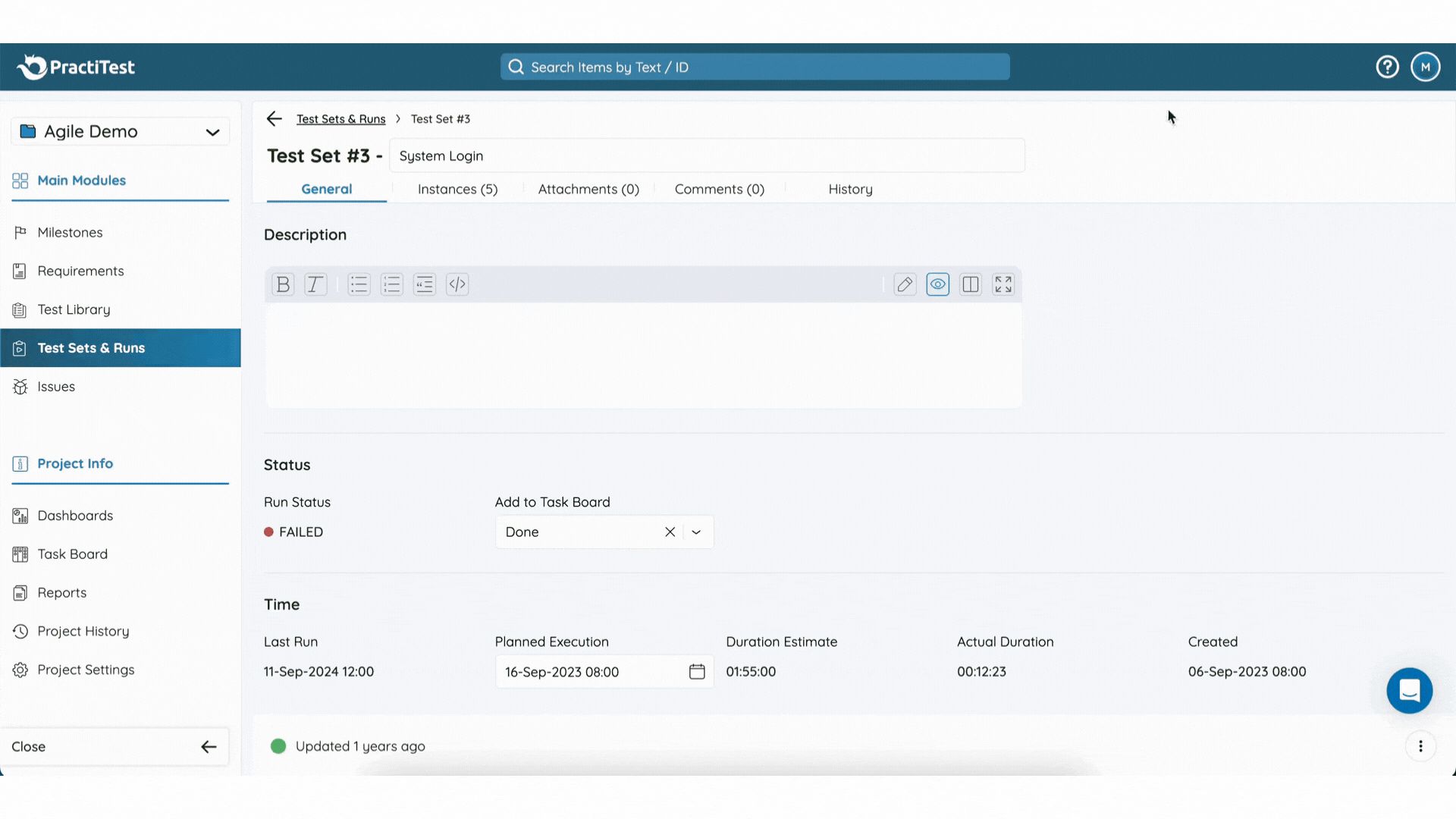
PractiTest is an end-to-end test management solution focused on visibility and traceability across QA activities. It aims to centralize requirements, test cases, executions, and reporting in a single platform, helping teams make data-driven decisions based on real-time insights. 

Key Features

  • Centralized test and requirement management
  • Customizable dashboards and views
  • Real-time reporting for quality insights
  • Supports both manual and automated testing

Pricing

PractiTest is typically priced around $49 per user per month for standard plans, with enterprise pricing available on request.

4. Qase

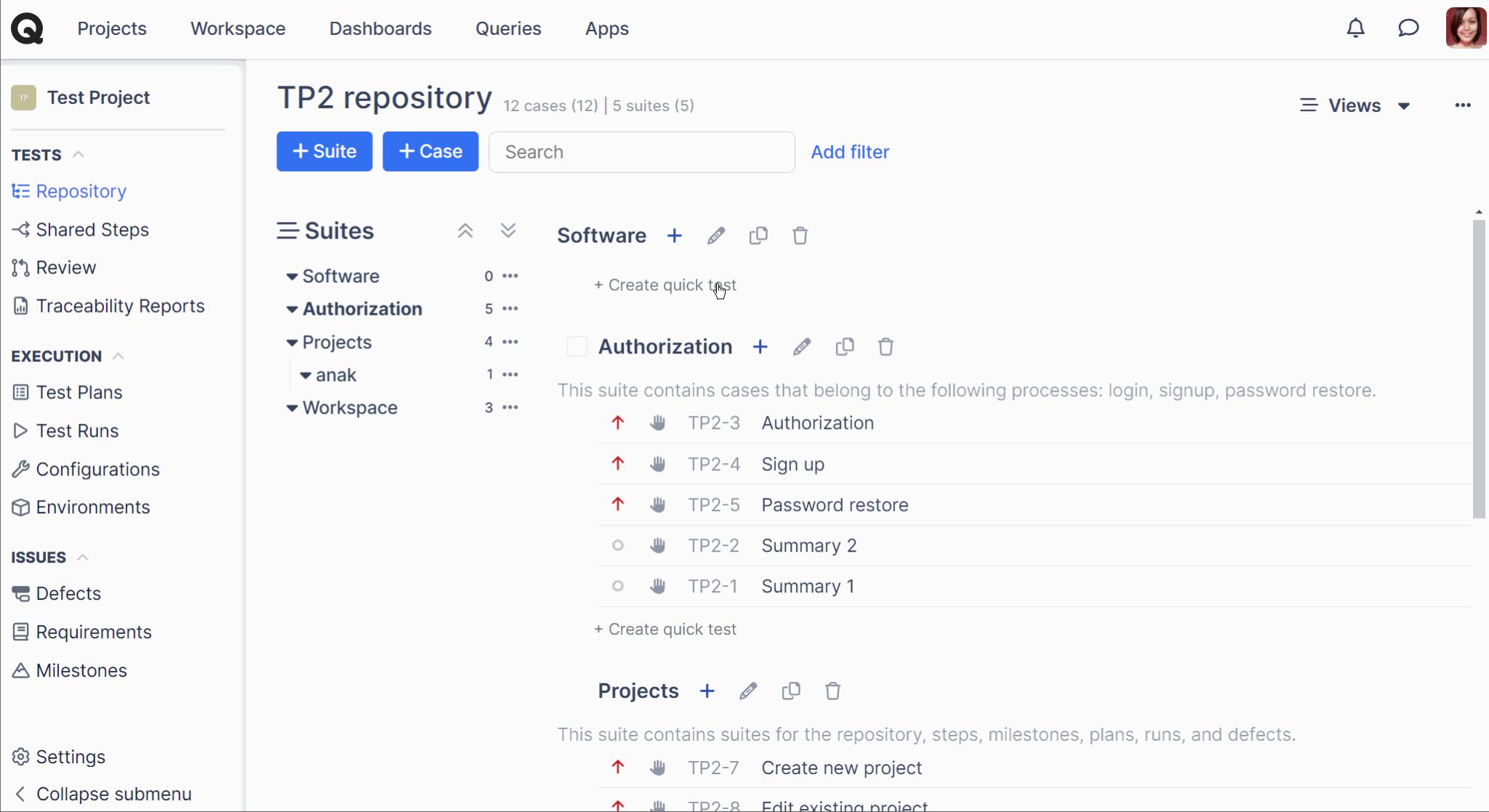
Qase is a lightweight test case management tool that balances simplicity with flexibility. It is designed for teams that want structured test workflows without unnecessary complexity, offering integrations with automation tools and issue trackers to fit modern QA environments.

Key Features

  • Intuitive test case organization
  • Execution and result tracking
  • Integrations with CI/CD and issue tracking
  • Reporting and dashboard views

Pricing

Qase publishes its pricing openly and offers multiple plans based on team size and needs.

  • Free: $0 per user (up to 3 users) with basic features.
  • Startup: $24 per user, per month, includes unlimited projects and test runs.
  • Business: $36 per user, per month, adds advanced permissions, test case reviews, and extended history.
  • Enterprise: Custom pricing with additional security, SSO, and dedicated support.

All paid plans come with a 14-day free trial, allowing teams to evaluate the tool before committing.

5. Xray

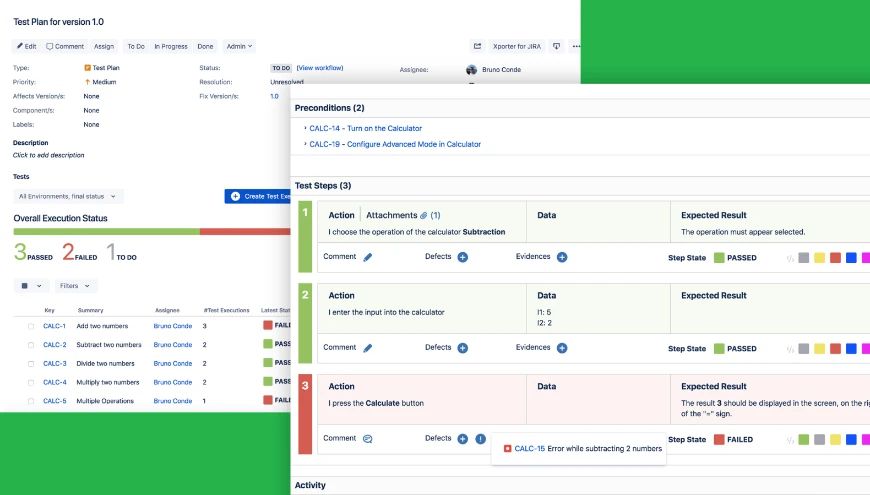
Xray is a Jira-native test management solution that embeds testing directly into Jira workflows, making it a strong choice for teams already centralized on Atlassian tools. It supports both manual and automated test types and provides traceability from requirements through to test results.

Key Features

  • Fully integrated with Jira issues and workflows
  • Manual and automated test support
  • Traceability and coverage reporting
  • Automation framework integration

Pricing

Xray pricing typically starts around $10 per user per month for Jira users, scaling with team size. 

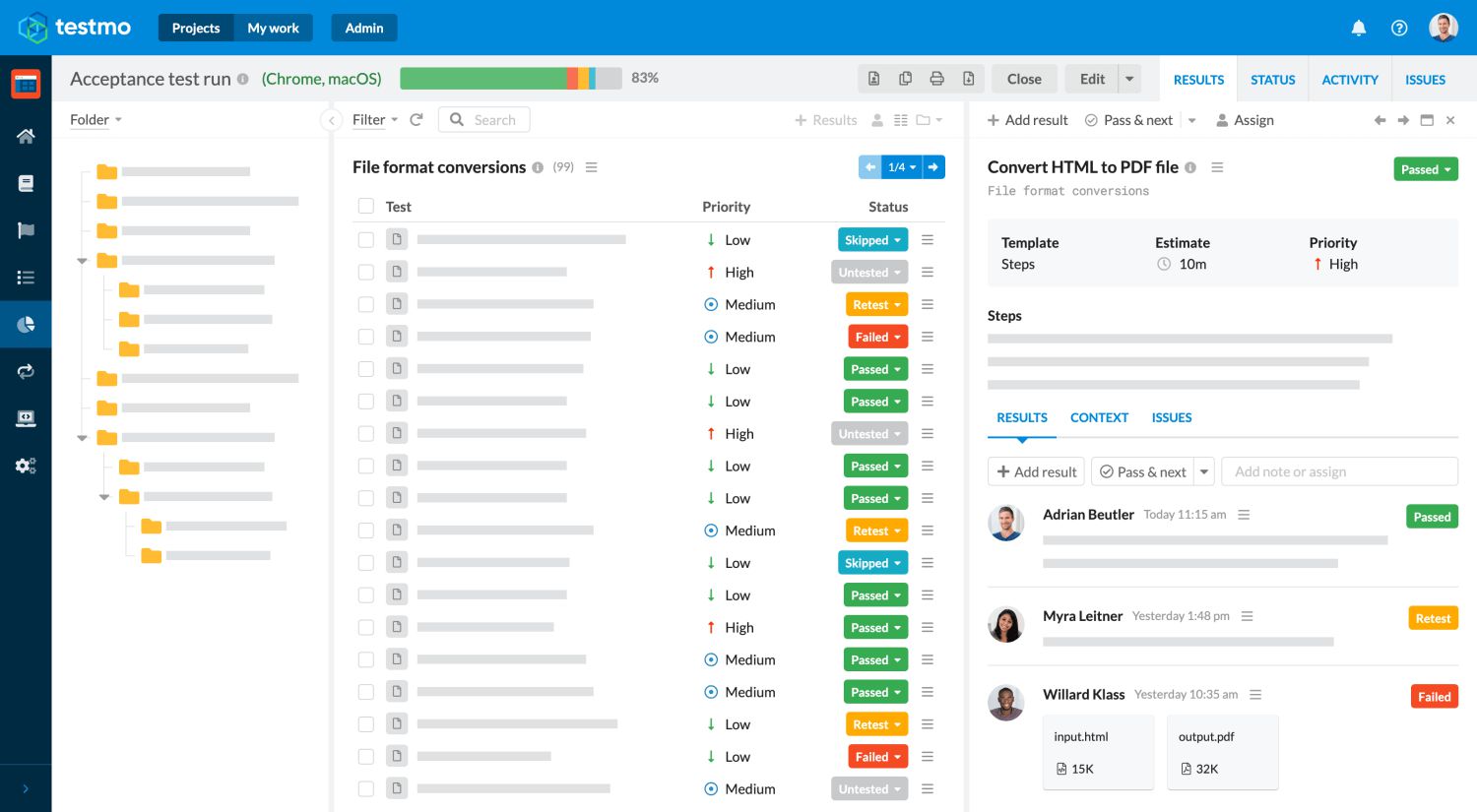
6. TestMo

TestMo is a modern test management platform that supports manual, automated, and exploratory testing under one roof. It emphasizes flexibility and integration, with real-time reporting and support for CI/CD pipelines to fit agile and DevOps practices. 

Key Features

  • Unified test management across manual and automated tests
  • Exploratory session tracking
  • Real-time reporting and analytics
  • DevOps toolchain integrations

Pricing

TestMo offers tiered pricing based on team size:

  • Team Plan: $99 per month (includes up to 10 users).
  • Business Plan: $329 per month (includes 25 users with advanced features).
  • Enterprise Plan: $549 per month (includes 25 users with additional security features such as SSO and audit logs).

Larger teams can scale beyond these limits, and a free trial is available for evaluation.

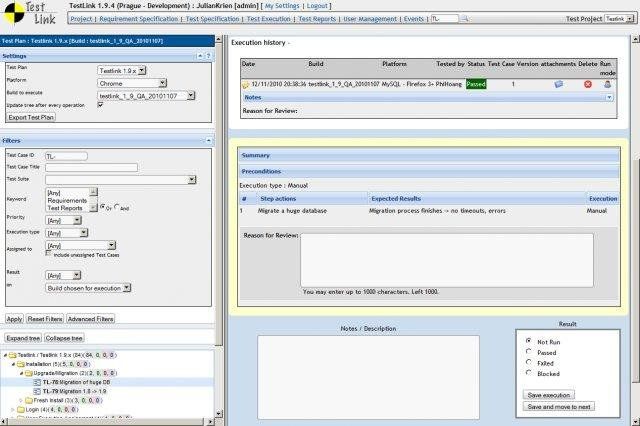
7. TestLink

TestLink is one of the oldest open-source test management tools available. It provides core test case and test plan management capabilities without licensing costs, though it requires more manual setup and maintenance than SaaS offerings. As an open-source option, it remains popular for smaller teams or those willing to host and configure their own solutions. 

Key Features

  • Test case and suite creation
  • Test plan management and execution tracking
  • Basic reporting and statistics
  • Open-source and free to use

Pricing

TestLink is free under an open-source license, though hosting and maintenance costs may apply.

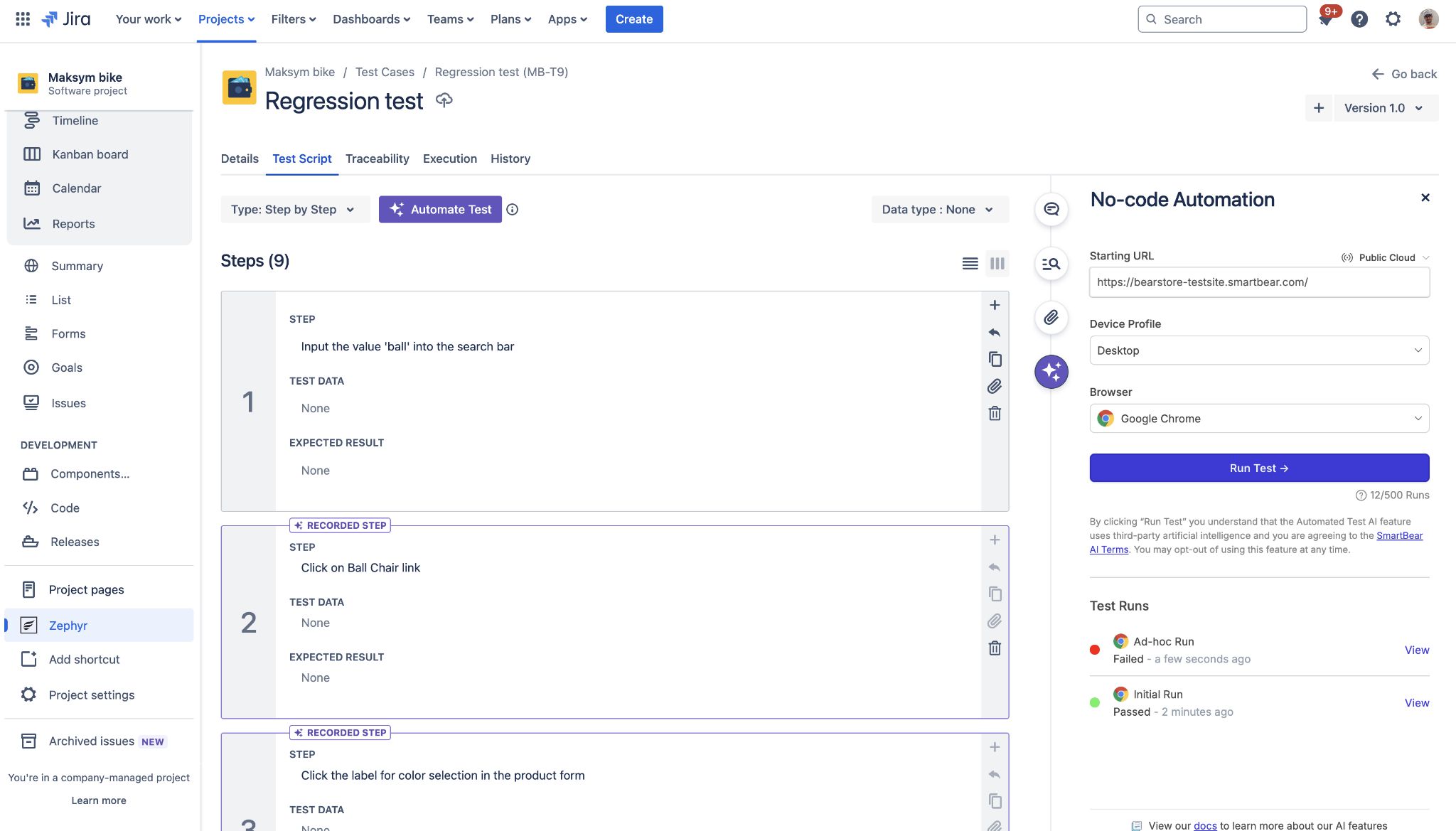
8. Zephyr

Zephyr, a SmartBear product, offers test management solutions that integrate tightly with Jira as well as standalone options. It supports planning, execution, tracking, and reporting for both manual and automated tests and is commonly used by teams that want Jira-embedded testing workflows.

Key Features

  • Jira-centric or standalone test management
  • Test planning and execution tracking
  • Reporting and traceability
  • Support for automation integration

Pricing:

Zephyr’s pricing varies by product edition and deployment option; direct SmartBear pricing is available on request.

Which TestRail Alternative Should You Choose

The best approach when choosing a TestRail alternative is finding a tool that fits how your team actually works.

Most teams mainly struggle with maintenance. If your biggest frustration is that your work is being confined to a rigid workflow, then flexibility should be your top priority. Look for tools that reduce duplication, allow reusable components, and let you organize tests without locking them into one fixed structure.

Other teams care more about reporting and visibility. If leadership constantly asks for clearer release readiness updates, or if QA ends up exporting data into spreadsheets to answer simple questions, then reporting capabilities matter more. In that case, dashboards, customizable views, and built-in analytics should weigh in on your decision.

Budget and scalability also play a role. Some tools look affordable at first, but become more expensive as teams grow or unlock essential features. Others keep pricing simple and predictable. It is worth thinking about what your team needs today and after a year as well. 

Another important factor is how disruptive the switch will be. Migration support, learning curve, and onboarding experience can make a big difference. A tool might have strong features on paper, but still slow your team down if it’s hard to adopt.

The best way to decide is to map your current pain points to specific capabilities. Make notes of what frustrates your team the most about your current setup. Then, evaluate alternatives based on how directly they solve those issues. At the end of the day, switching test management tools is all about reducing overhead, improving clarity, and minimizing complexity. 

Why You Should Choose TestFiesta As a TestRail Alternative

When teams start looking for a TestRail alternative, one of the biggest concerns is how easy it is actually to switch and whether the new tool will handle all the migrated data in a better way. That is where TestFiesta stands out for many teams in 2026.

TestFiesta was built from the ground up with flexibility and everyday usability in mind. It doesn't impose rigid folder hierarchies or structures that teams eventually have to work around. Instead, it adapts to how your team works. Whether you're organizing test cases using flexible tags, setting up reusable configurations, or creating dashboards that actually help with release decisions, TestFiesta’s approach feels closer to how QA teams actually think and test rather than forcing them into a one-size-fits-all pattern.

Another area where TestFiesta shines compared to older tools like TestRail is pricing transparency and simplicity. Instead of multiple tiered plans with features locked behind upgrades, TestFiesta offers a straightforward structure with predictable costs and full access.

Customer support also makes a noticeable difference in day-to-day work. Many teams switching from TestRail mention slow or expensive support as a pain point. TestFiesta offers responsive, intelligent help and real support when QA teams need it most, whether through documentation, in-product help, or direct assistance.

Smooth Migration from TestRail

One of the biggest hurdles for teams considering a switch is data migration. Losing project history, execution data, or test steps during a transition can be a real blocker, especially for teams with years of testing invested in a tool.

TestFiesta tackles this concern head-on with its Migration Wizard, which is designed to make moving from TestRail fast and reliable. Instead of manual exports and manual re-creation, you can:

  • Generate a TestRail API key.
  • Plug it into TestFiesta’s migration tool.
  • Watch as all your important data, including test cases, steps, project structure, execution history, custom fields, attachments, and tags, comes over intact.
  • Start working immediately in TestFiesta with your data in place

Choosing TestFiesta isn’t just about replacing TestRail. It’s about moving to a tool that adapts as your team grows, stays flexible when workflows change, and removes the manual effort that slows QA teams down over time.

Conclusion

Most teams don’t switch test management tools because they want something new. They switch because the old setup starts costing more time than it saves.

TestRail has served many QA teams well, but as products grow and release cycles accelerate, the gaps become harder to ignore. Rigid structures create duplication. Reporting takes extra effort. Small changes turn into maintenance work. Over time, the tool that was supposed to support testing starts adding weight to it.

The good news is that switching in 2026 doesn’t have to be risky or disruptive. There are good alternatives available, each built with modern QA realities in mind. The right choice depends on what your team values most: flexibility, reporting, enterprise control, simplicity, and predictable pricing.

At the end of the day, test management should support your workflow, not complicate it. If your current tool feels heavier than it should, choosing a more flexible platform like TestFiesta may be the step that brings clarity and efficiency back to your QA process.

FAQs

What are some good alternatives to TestRail?

Some popular alternatives include TestFiesta, Qase, Xray, Zephyr, PractiTest, QMetry, and TestMo. The right option depends on what you’re looking to improve: flexibility, reporting, pricing, or deeper Jira integration.

Where will my test data go if I switch from TestRail to another tool?

Most modern tools support migration from TestRail, allowing you to transfer test cases, runs, history, and attachments. TestFiesta makes it even simpler. It provides a built-in migration process for moving data via the TestRail API.

Will I have to pay more if I switch from TestRail to another test management platform?

Not necessarily. Pricing varies by tool. Some platforms use tiered plans, while others offer flat per-user pricing. It’s important to compare what’s included and how costs scale as your team grows. TestFiesta is a significantly more affordable option for teams of all sizes while offering stronger features. Calculate the amount of costs you’ll save by migrating from TestRail to TestFiesta with a cost calculator.

Which tool has all the features of TestRail at a lower price?

Several tools offer comparable features at competitive pricing. If predictable costs and full feature access matter, TestFiesta is often considered a strong value alternative. The best way to decide is to test it with your real workflows. You can sign up to TestFiesta with a free account (no credit card required) and get a full-scale demo before deciding to bring your team.

Tool

Pricing

TestFiesta

Free user accounts available; $10 per active user per month for teams

TestRail

Professional: $40 per seat per month

Enterprise: $76 per seat per month (billed annually)

Xray

Free trial; Standard: $10 per month for the first 10 users (price increases after 10 users)

Advanced: $12 per month for the first 10 users (price increases after 10 users)

Zephyr

Free trial; Standard: ~$10 per month for first 10 users (price increases after 10 users)

Advanced: ~$15 per month for the first 10 users (price increases after 10 users)

qTest

14‑day free trial; pricing requires demo & quote (no transparent pricing)

Qase

Free: $0/user/month (up to 3 users)

Startup: $24/user/month

Business: $30/user/month

Enterprise: custom pricing

TestMo

Team: $99/month for 10 users

Business: $329/month for 25 users

Enterprise: $549/month for 25 users

BrowserStack Test Management

Free plan available

Team: $149/month for 5 users

Team Pro: $249/month for 5 users

Team Ultimate: Contact sales

TestFLO

Annual subscription (specific amounts per user band), e.g., Up to 50 users: $1,186/yr; Up to 100 users: $2,767/yr; etc.

QA Touch

Free: $0 (very limited)

Startup: $5/user/month

Professional: $7/user/month

TestMonitor

Starter: $13/user/month

Professional: $20/user/month

Custom: custom pricing

Azure Test Plans

Pricing tied to Azure DevOps services (no specific rate given)

QMetry

14‑day free trial; custom quote pricing

PractiTest

Team: $54/user/month (minimum 5 users)

Corporate: custom pricing

Black Box Testing

White Box Testing

Coding Knowledge

No code knowledge needed

Requires understanding of code and internal structure

Focus

QA testers, end users, domain experts

Developers, technical testers

Performed By

High-level and strategic, outlining approach and objectives.

Detailed and specific, providing step-by-step instructions for execution.

Coverage

Functional coverage based on requirements

Code coverage

Defects type found

Functional issues, usability problems, interface defects

Logic errors, code inefficiencies, security vulnerabilities

Limitations

Cannot test internal logic or code paths

Time-consuming, requires technical expertise

Aspect

Test Plan

Test Case

Purpose

Defines the overall testing strategy, scope, and approach for a project or release.

Validates that a specific feature or functionality works as expected.

Scope

Covers the entire testing effort, including what will be tested, resources, timelines, and risks.

Focuses on a single scenario or functionality in the broader scope.

Level of Detail

High-level and strategic, outlining approach and objectives.

Detailed and specific, providing step-by-step instructions for execution.

Audience

Project managers, stakeholders, QA leads, and development teams.

QA testers and engineers.

When It's Created

Early in the project, before testing begins.

After the test plan is defined and the requirements are clear.

Content

Scope, objectives, strategy, resources, schedule, environment details, and risk management.

Test case ID, title, preconditions, test steps, expected results, and test data.

Frequency of Updates

Updated periodically as project scope or strategy changes.

Updated frequently as features change or bugs are fixed.

Outcome

Provides direction and clarifies what to test and how to approach it.

Produces pass or fail results that indicate whether specific functionality works correctly.

Tool

Key Highlights

Automation Support

Team Size

Pricing

Ideal For

TestFiesta

Flexible workflows, tags, custom fields, and AI copilot

Yes (integrations + API)

Small → Large

Free solo; $10/active user/mo

Flexible QA teams, budget‑friendly

TestRail

Structured test plans, strong analytics

Yes (wide integrations)

Mid → Large

~$40–$74/user/mo)

Medium/large QA teams

Xray

Jira‑native, manual/
automated/
BDD

Yes (CI/CD + Jira)

Small → Large

Starts ~$10/mo for 10 Jira users

Jira‑centric QA teams

Zephyr

Jira test execution & tracking

Yes

Small → Large

~$10/user/mo (Squad)

Agile Jira teams

qTest

Enterprise analytics, traceability

Yes (40+ integrations)

Mid → Large

Custom pricing

Large/distributed QA

Qase

Clean UI, automation integrations

Yes

Small → Mid

Free up to 3 users; ~$24/user/mo

Small–mid QA teams

TestMo

Unified manual + automated tests

Yes

Small → Mid

~$99/mo for 10 users

Agile cross‑functional QA

BrowserStack Test Management

AI test generation + reporting

Yes

Small → Enterprise

Free tier; starts ~$149/mo/5 users

Teams with automation + real device testing

TestFLO

Jira add‑on test planning

Yes (via Jira)

Mid → Large

Annual subscription starts at $1,100

Jira & enterprise teams

QA Touch

Built‑in bug tracking

Yes

Small → Mid

~$5–$7/user/mo

Budget-conscious teams

TestMonitor

Simple test/run management

Yes

Small → Mid

~$13–$20/user/mo

Basic QA teams

Azure Test Plans

Manual & exploratory testing

Yes (Azure DevOps)

Mid → Large

Depends on the Azure DevOps plan

Microsoft ecosystem teams

QMetry

Advanced traceability & compliance

Yes

Mid → Large

Not transparent (quote)

Large regulated QA

PractiTest

End‑to‑end traceability + dashboards

Yes

Mid → Large

~$54+/user/mo

Visibility & control focused QA

Ready to Take Your Testing to the Next Level?

Flexible & intuitive workflows

Transparent pricing

Easy migration

Ready for a Platform that Works

The Way You Do?

If you want test management that adapts to you—not the other way around—you're in the right place.

Welcome to the fiesta!